You can give students a link that auto-fills a prompt for them in Gemini.
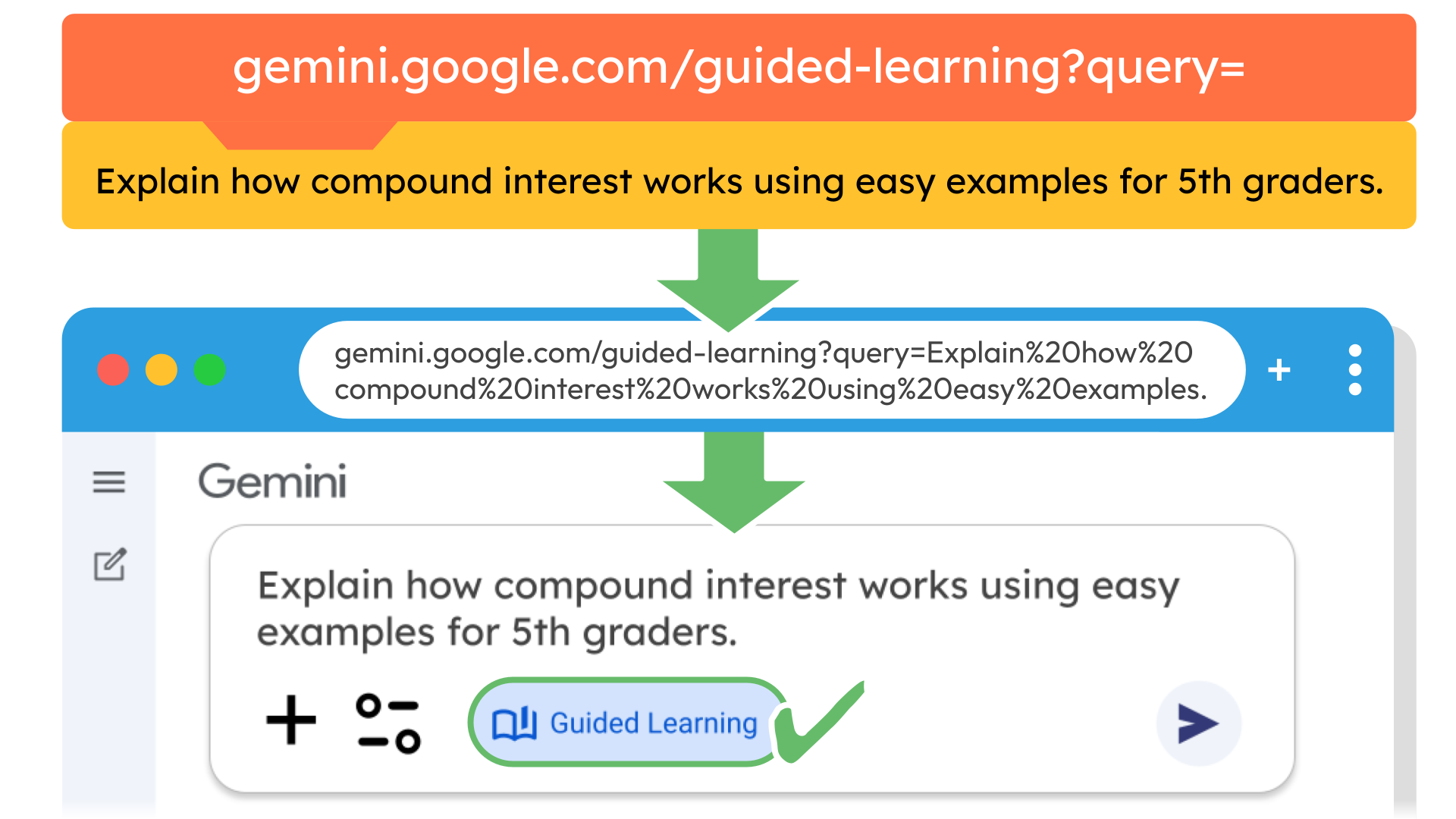
Try it out. Click this link and you’ll see the prompt already typed into Gemini’s prompt bar and Guided Learning mode is activated. Students can edit, add to, or refine the prompt before submitting.
Once the prompt is submitted, Guided Learning steps in and walks the learner through the topic with explanations, examples, and follow up questions.
Imagine using this trick to jumpstart the process of studying, reviewing, reflecting, or building background knowledge.
How do you build a URL that does this?
First, start with:
https://gemini.google.com/guided-learning?query=
Then add your prompt directly after the equals sign. I know it’s weird to include spaces in a URL, but each space will be converted to %20 in the browser’s address bar. So a completed link looks like:
https://gemini.google.com/guided-learning?query=Explain how compound interest works using easy examples.
It will change to this in the browser:
https://gemini.google.com/guided-learning?query=Explain%20how%20compound%20interest%20works%20using%20easy%20examples.
My example doesn’t include a grade level, but when you use this with students, adding the grade level to the prompt helps Gemini tailor the response.
Most of the time, I’d probably make a Gem for students rather than rely on long URLs, but this is a handy option when you want a quick way to get prompting started without setting up a full Gem.
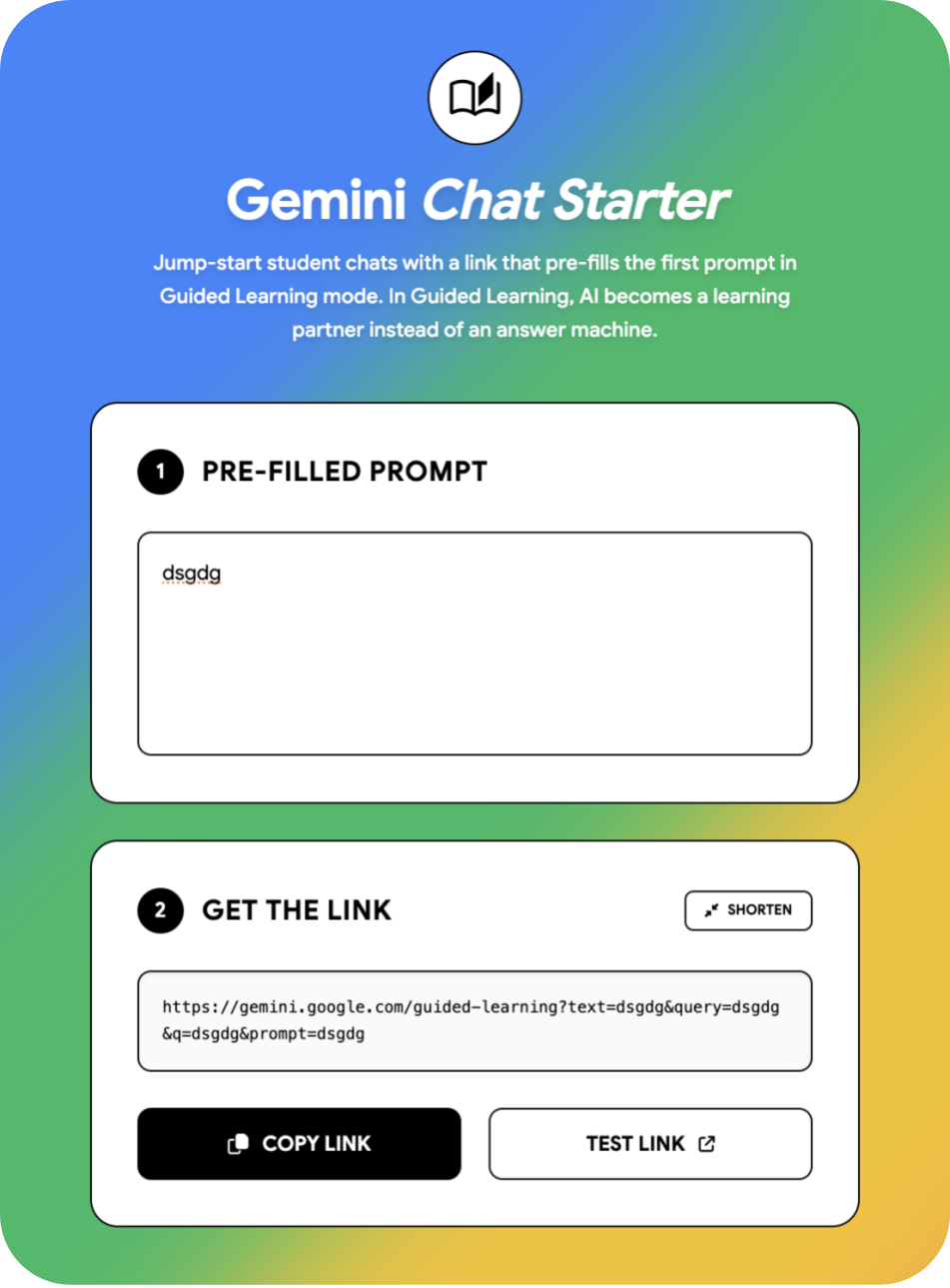
If you’re not into “hacking” URLs, you can use this vibe-coded tool: Gemini Chat Starter. Just enter the prompt you’d like pre-filled and then click the Copy button. Easy!
What about ChatGPT?
While ChatGPT has a Study and Learn mode that is similar to Gemini’s Guided Learning, it does not support preloading a prompt through the URL.
You can still have a regular ChatGPT chat open with your prompt already typed in by adding it directly after the equals sign:
https://chat.openai.com/?q=
When someone follows your link, the message box is already filled with your prompt, and they can edit or add to it before submitting. Give this ChatGPT link a try.