Even More Digital Snacks
In my Digital Snacks: Breaks for Students’ Brains presentation, I explain that there are plenty of good reasons to give students brain breaks. Quick pauses in learning can ease stress, reduce cognitive overload, break up monotony, and build social connections. These short mental recesses give students a chance to reset so they can refocus and re-engage.
I’ve been curating my Digital Snacks collection for a few years now. To earn a spot as a digital snack, an activity must be:
Free
Browser-based
No login for students
Low prep
Digital Snacks are sorted into categories: Relaxing, Cognitive, Physical, Creative, Sensory, Social, and Humor. Each category includes online activities and YouTube videos.
Everything is organized on a Padlet with voting reactions turned on. Please give a 👍 to your favorites—and if a snack’s a flop, go ahead and give it a 👎. The lists are sorted by rating, so the best ones rise to the top.
This list has been a lifesaver when I’ve stepped in as a substitute teacher. It’s made it so easy to give students meaningful breaks that keep the day running smoothly.
Destiny Wagner, Chief Education Nerd at EdTech Nerds, attended my Digital Snacks presentation at GaETC 2025. Afterwards, she was kind enough to share the slides from her presentation, Calm the Chaos: Brain Breaks that Work. It’s full of great ideas!
Thanks to Destiny, I added several new digital snacks to my Padlet.
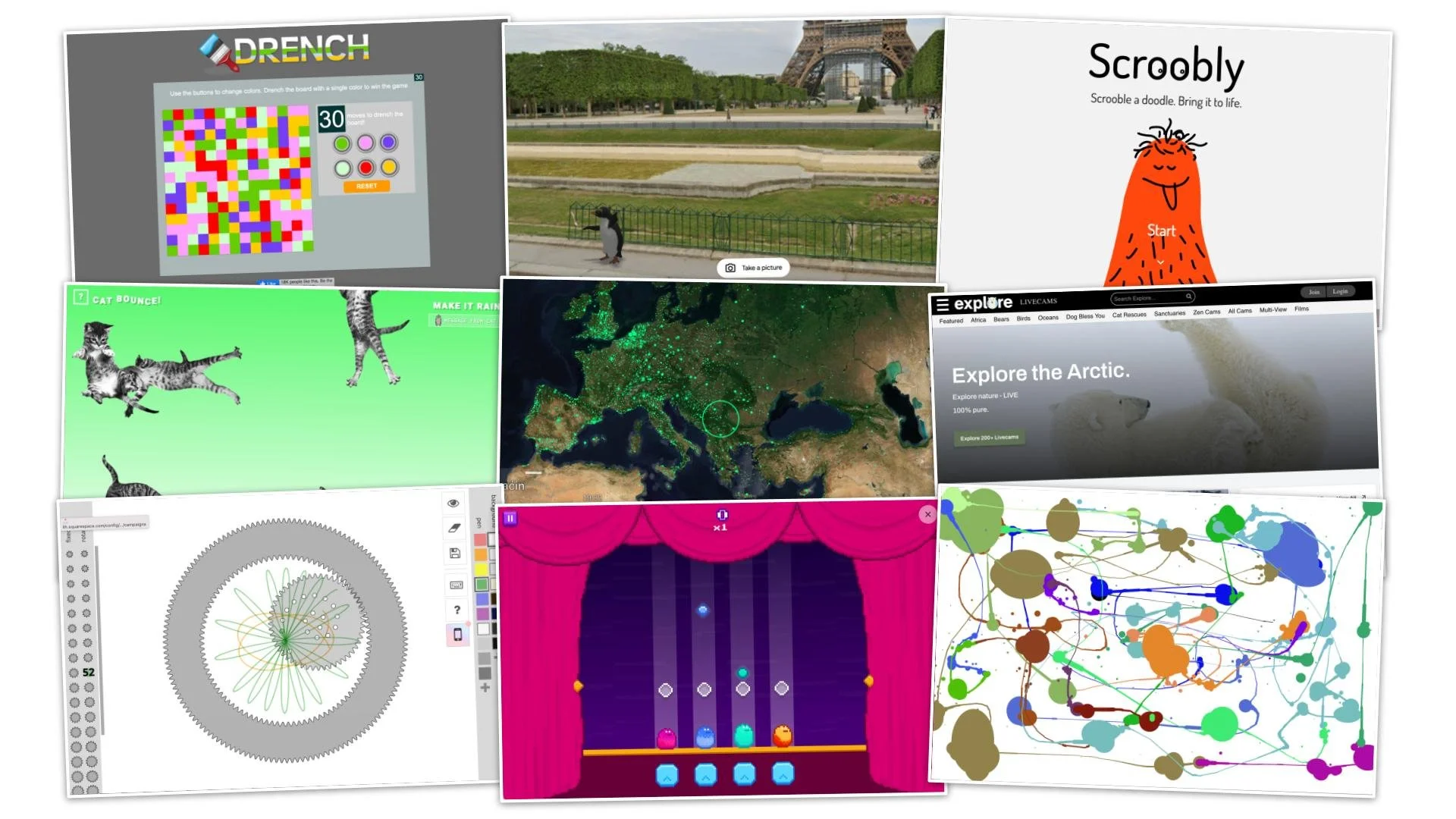
Blob Beats
A rhythm game from Google Arts and Culture where you hit notes in time to remixed classical music.Patatap
Tap keys or click the screen to trigger sounds and matching animations.
Body Synth
Use your webcam to make music through body movements.Radio Garden
Spin the globe and tune in to live radio stations from any location.Hopper the Penguin
Drop a dancing penguin anywhere on Google Maps.Cat Bounce
Click and drag to bounce cats around the screen.
Drench
Use the color buttons to flood the board. Turn the entire screen one color in fewer than 30 moves.
Scrobbly
Draw a character and watch it mirror your movements using your computer’s webcam.Jackson Pollock
Drag your mouse to create splatter art. Click to change colors.Online Spiralgraph
Choose gears, adjust settings, and generate colorful spirograph designs.Fridge Poem
Drag and arrange virtual word magnets to build poems or fun phrases.Explore Live Webcams
Watch live animal and nature cameras from around the world.