

Great videos don’t have to be complicated. With Canva for Education, teachers can create polished videos that capture attention, explain concepts clearly, document learning, and celebrate student success.
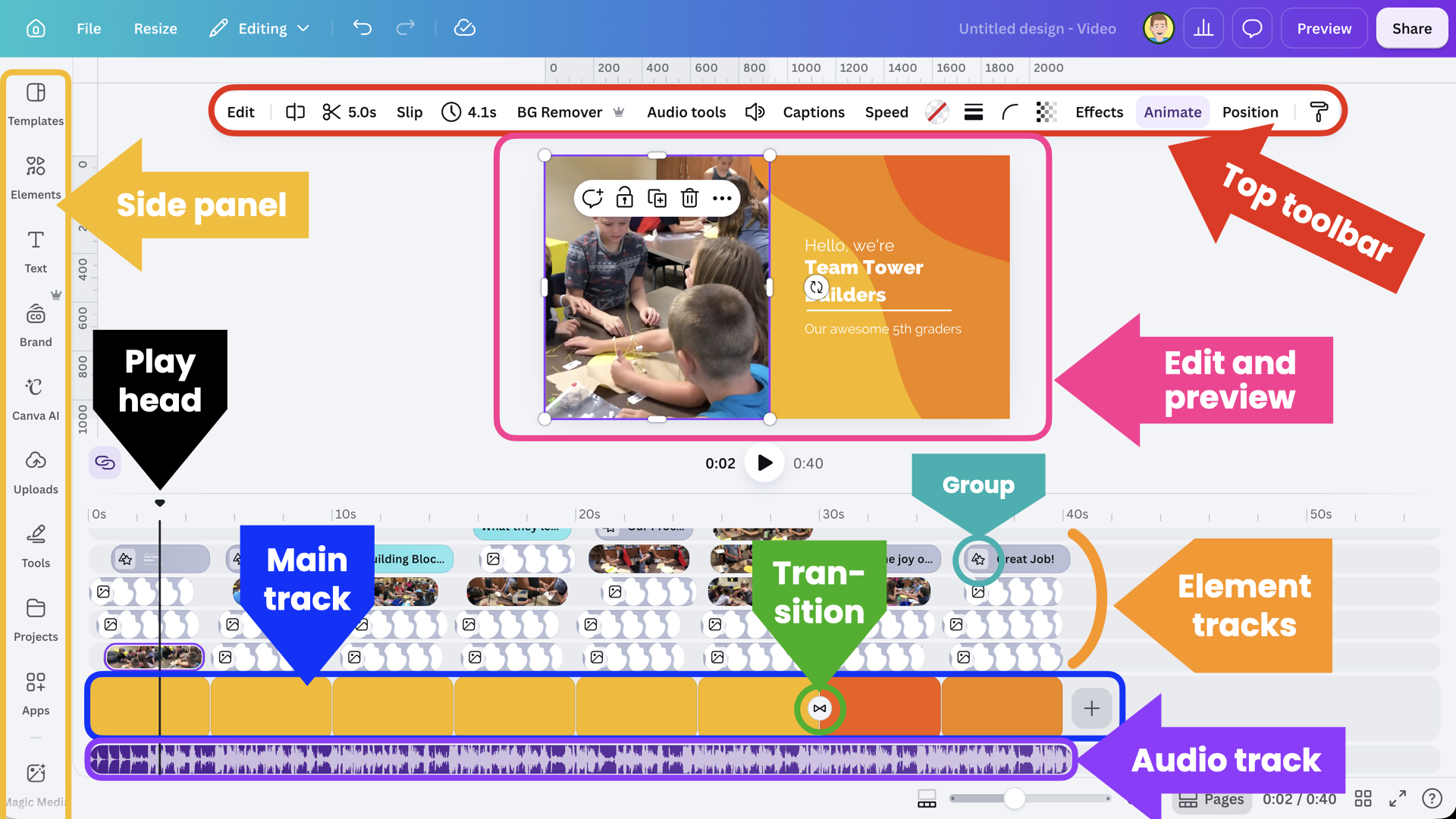
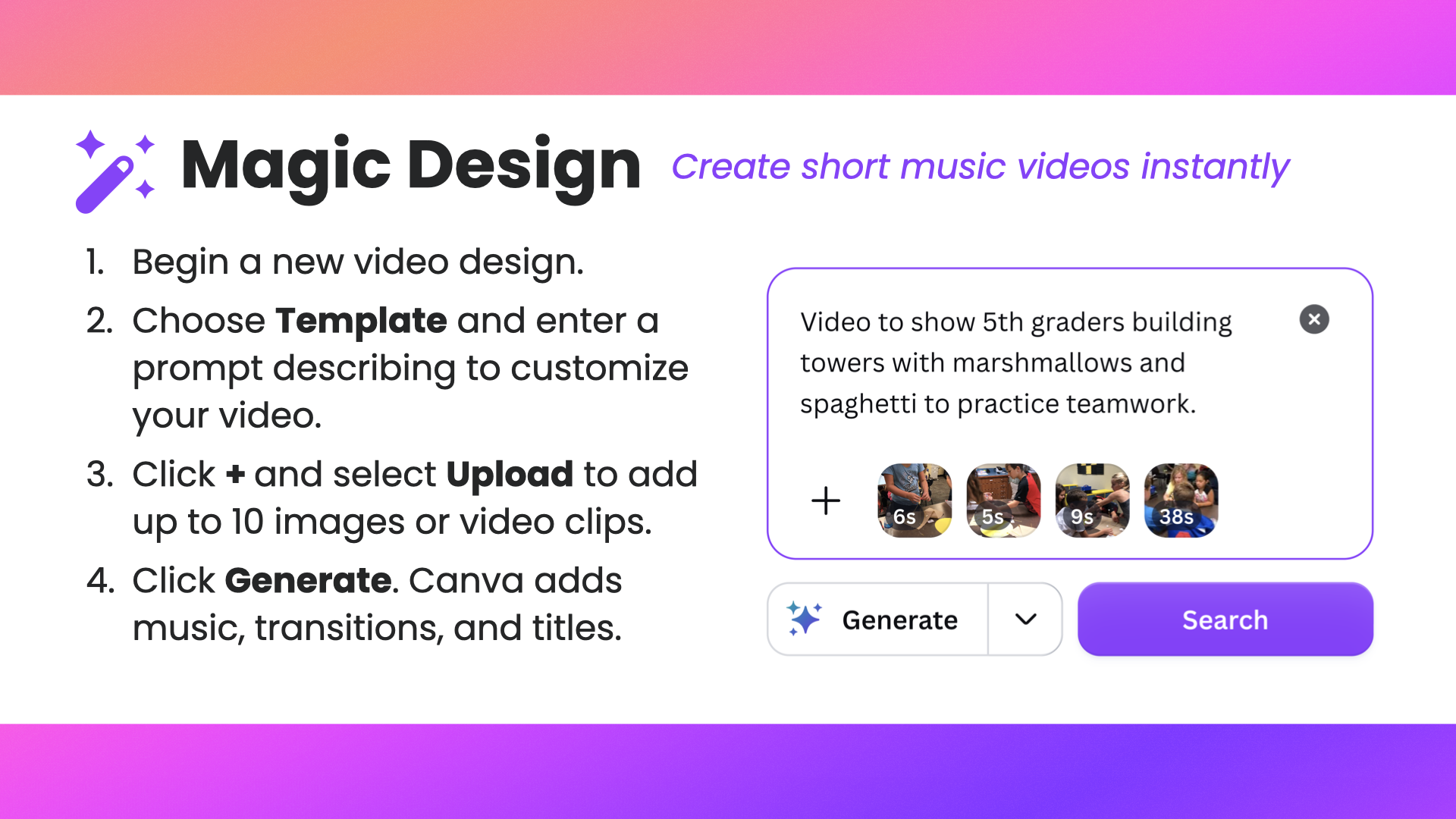
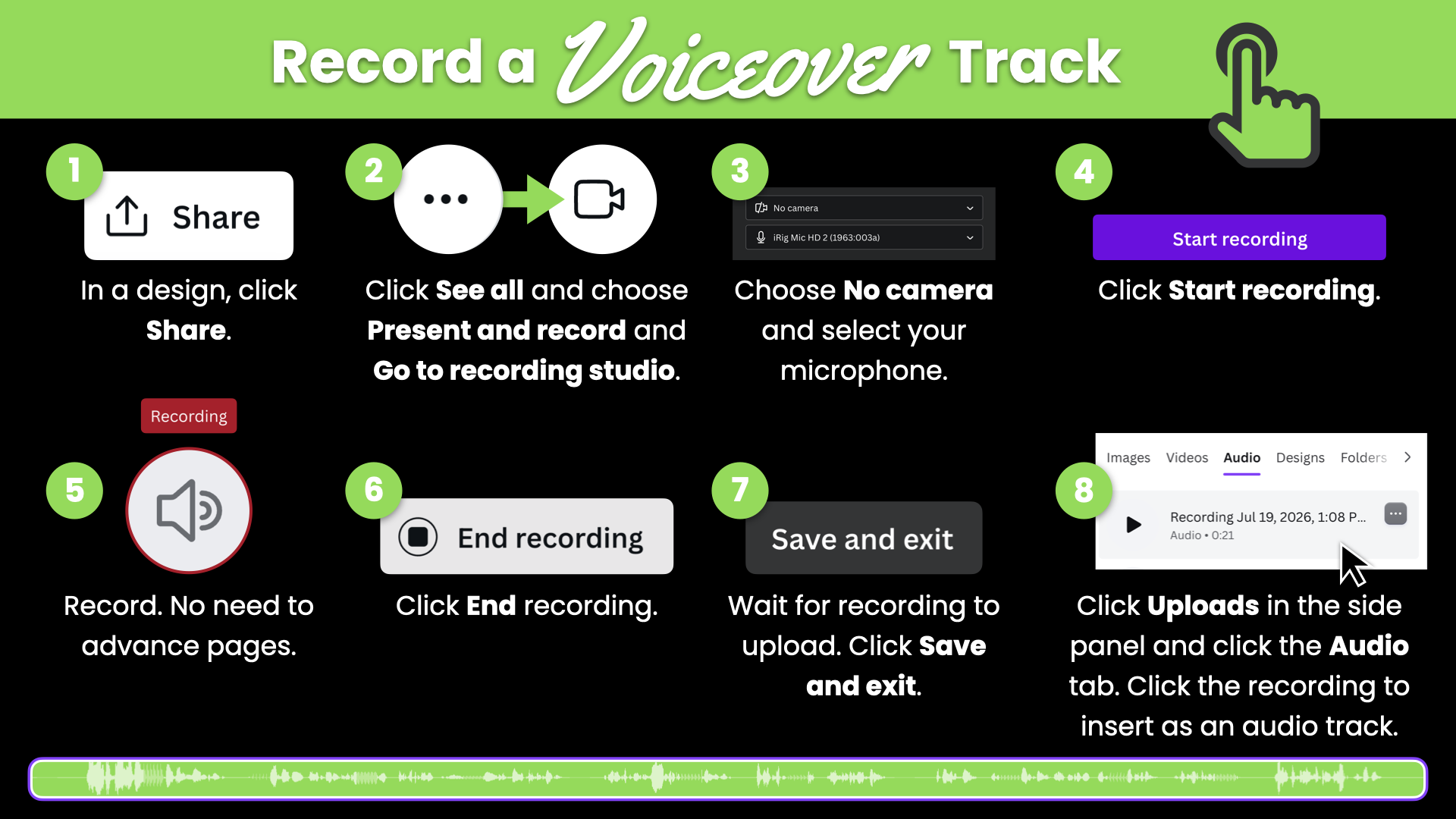
Whether you’re starting with a template or building from scratch, you’ll learn practical editing techniques that make a big difference. Trim out mistakes, zoom to focus attention, add picture-in-picture video, insert sound effects, cut to compelling visuals, and end music at just the right moment. You’ll also discover how animations, transitions, and thoughtful editing choices can help viewers stay engaged from beginning to end.
Along the way, you’ll see examples of instructional and classroom videos and learn time-saving tips for creating them more efficiently. By the end of the session, you’ll have the skills and confidence to produce professional-looking videos that inform, engage, document, and celebrate learning.



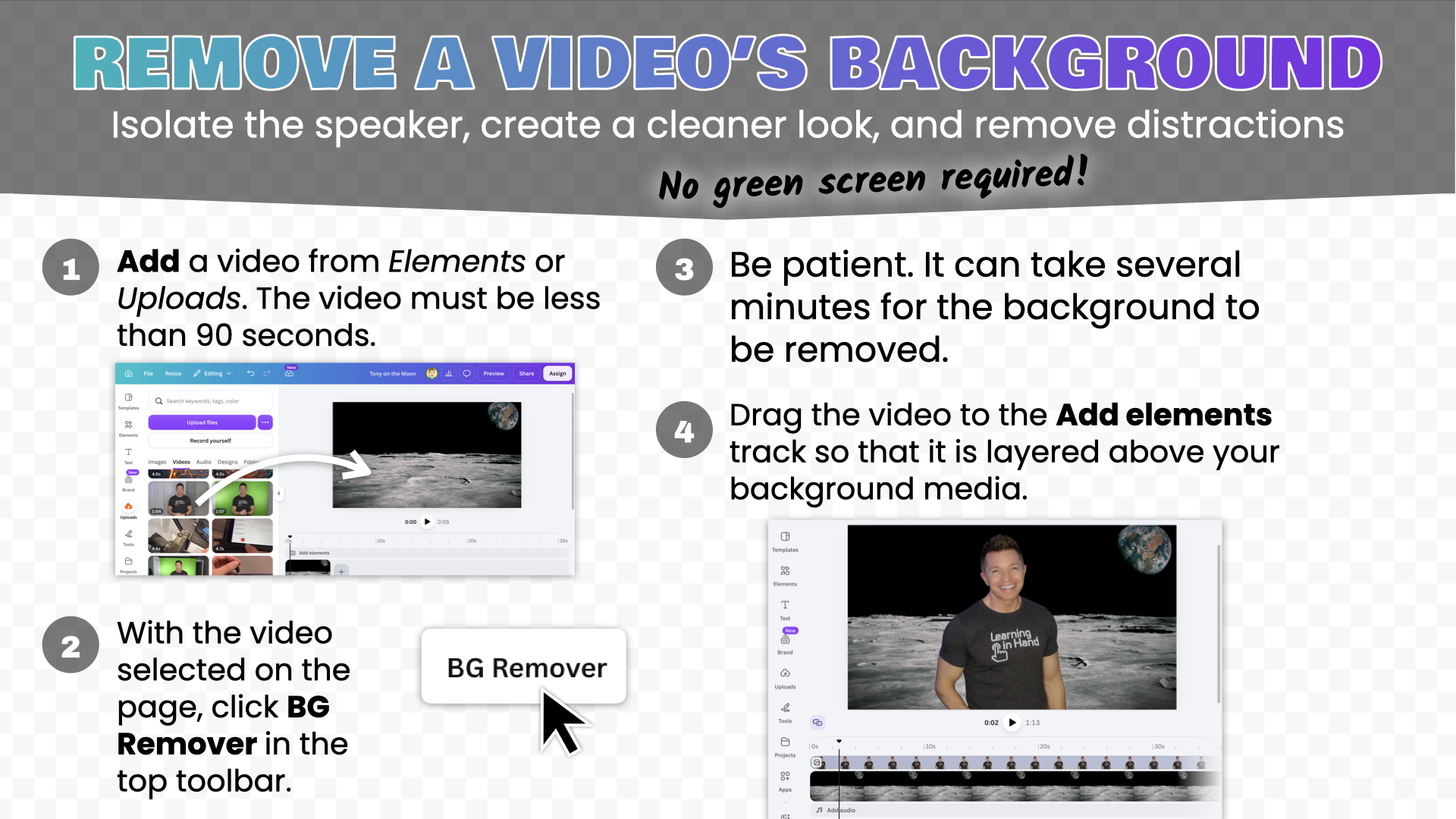


Videos

Links

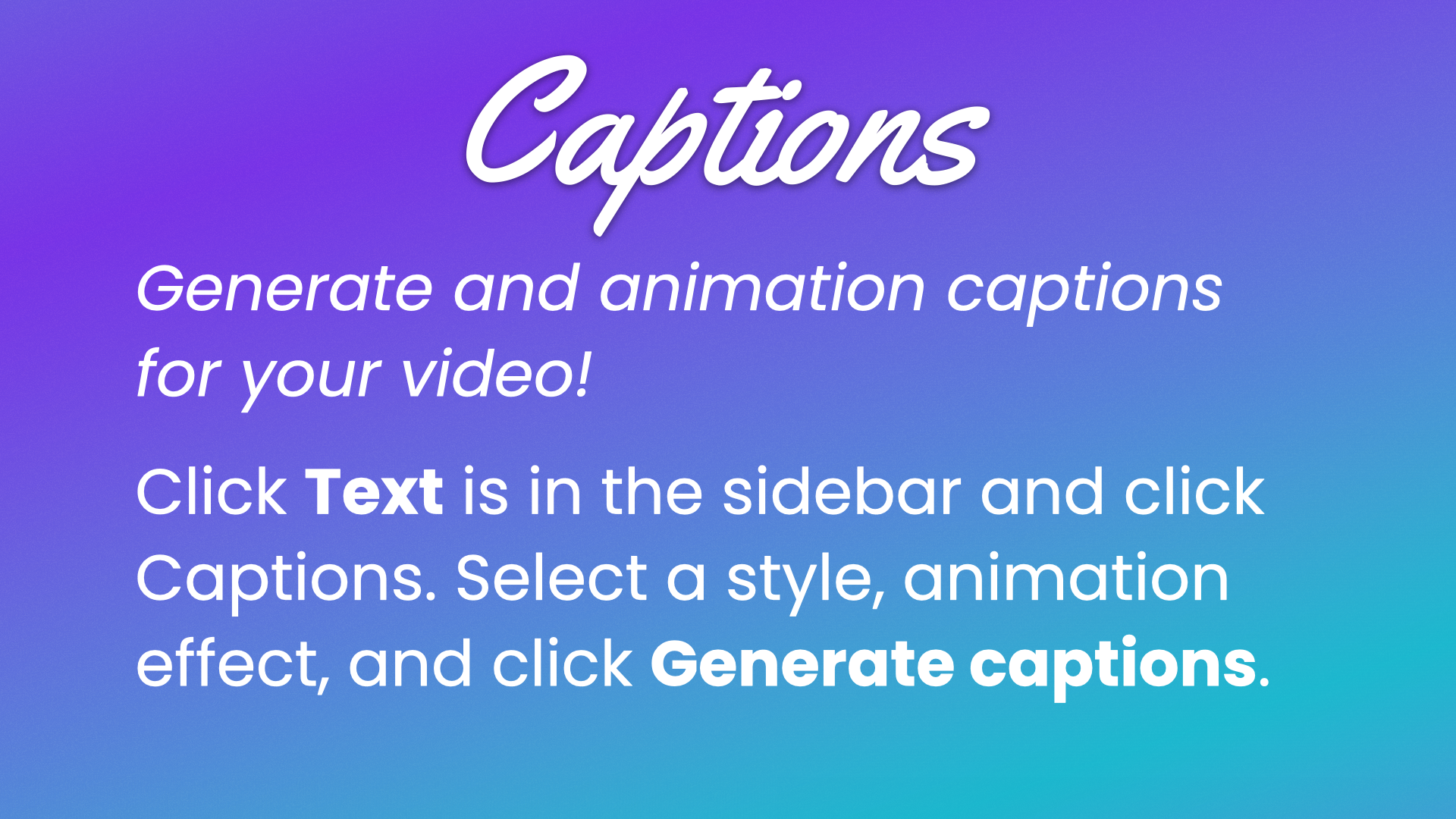
Text on the screen benefits everyone. Read How Video Captions Foster Equity.
There are lots of good reasons to include music in your videos. Read How (and Why) to Add Music to Tutorial Videos.