|
$$PLAIN_TEXT_PREVIEW$$
|
Issue 51 • January 21, 2026
|
|
It’s never been a better time to have ideas. Teachers today have more ways than ever to bring their classroom ideas to life. Sometimes AI helps through vibe coding a tool or by walking us through the development process. Other times, it happens through collaboration with fellow educators or with developers who understand classroom needs. Ideas for improving teaching and learning no longer have to stay ideas. They can become real. In this issue, I want to highlight resources created by teachers for teachers. Recess Reset is one of those resources and one I truly wish I had as a 5th grade teacher. I always struggled with the transition from recess or specials back into focused classroom work. So much could happen while students were away, and getting everyone settled again was not easy. Having access to Recess Reset’s library of short, targeted mini lessons would have made it much easier to reset the class while also building important SEL skills.
|
|
This issue of Learning in Hand Newsletter is sponsored by Recess Reset.
|
|
Recess Reset: Interactive Animated Curriculum
|
|
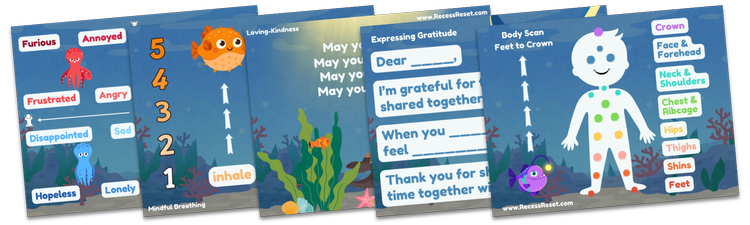
Do your students come in hot and wild after recess? Are you feeling the daily stress that comes with behavior challenges and tough transitions? Recess Reset is a ready-to-use class transition routine designed specifically for that post-recess moment. With no lesson planning and no time wasted, Recess Reset helps students calm their bodies and refocus their minds in just three minutes a day. This year-long animated curriculum focuses on nervous system regulation through bite-size, mindfulness-based Social Emotional Learning lessons. Teachers can seamlessly use it as a consistent transition routine, replacing discipline headaches with practical life skills students build over time.
|
|
Instead of repeated warnings and consequences, students learn how to become more self-regulating and self-aware, helping classrooms feel calmer, more focused, and ready to learn. Recess Reset is on a mission to make SEL practical within the school day. ⚡ Create a free account to access no-prep animated video lessons, coloring sheets, and classroom posters 🎨 Visit: recessreset.com 🎓 Proudly created by former SFUSD teachers in partnership with Stanford University
|
|
Michael Davola is a technology staff developer in a public school district on Long Island, New York. Lately, he’s been experimenting with building his own tools and apps using AI. Mike has been vibe coding with AI, meaning he describes an idea and the AI writes the code. Many of his experiments also include AI embedded directly into the tools themselves, not just used during development. One of Mike’s experiments is Rhythm Loop Game, where students listen to patterns of claps and pauses and then recreate those patterns. It’s a simple concept that sharpens listening and pattern recognition skills. This tool was coded with Gemini. Another experiment, Literal Genie, flips expectations. It’s an AI with zero common sense that does exactly what you say, not what you mean. The result is a playful but powerful way to practice precise prompting and image generation. This tool was also coded with Gemini. Color GeoGuesser challenges players to match a target color using a color wheel. Getting the exact hue and tone is harder than it sounds, making this a great activity for sharpening visual perception and attention to detail. This experiment was coded with Gemini and Cursor. Then there’s Plinko Decision Maker, which turns a familiar game show mechanic into a flexible classroom tool. Teachers can enter options like class rewards, vocabulary words, or student names, choose how many balls to drop, and watch as the results stack up. After all the balls fall, the final tallies reveal the outcome. This one was coded with Canva AI. Experimenting with AI doesn’t have to start with a big plan or a polished product. Mike’s projects show how curiosity, play, and a willingness to try things out can lead to tools that are both useful and fun. Sometimes experimenting is the whole point, because that’s where you learn what’s possible.
|
|
Russell Spicer runs a YouTube channel called Mr. Math Songs, where he makes math more approachable through songs, short tutorials, and creative visuals. Recently, Russell posted a video titled Slope Comes to Life: Rise Over Run Math Classroom Ambience. It’s an ambience video, the kind designed to play quietly in the background while students work. You’ve probably seen ambience videos built around fireplaces, beaches, snowstorms, or coffee shops. Until this one, I hadn’t seen ambience videos built around math concepts. What a clever idea. Ambient videos are usually quite long so they can play in the background without interruption, allowing viewers to settle into the atmosphere rather than waiting for the video to end. Russell’s Slope Comes to Life video runs for two hours, making it a perfect backdrop for independent or small group work. That might make you wonder how it was created. Did Russell manually animate dozens and dozens of coordinate grids, carefully showing rise over run for each pair of points? No. He used AI (Claude to be exact) to code the animations, then paired them with classical music to create a calm, focused mood. Watch Russell show Brian Buffington on YouTube how he made his animation. Russell applied the same idea to other topics, too. Another of Russell’s ambient math videos features a mesmerizing multiplication table, set to a gentle rain soundscape. Russell’s ambient math videos function like living anchor charts. They quietly reinforce key ideas, set the tone for focused work time, and show how teachers can use AI to bring instructional ideas to life in new and creative ways.
|
Transforming Tic Tac Toe ↪️
|
|
I used ChatGPT to code a game called Tic Tac 15 and embedded it into a Google Site. The game worked, but it was fairly plain. One nice thing about Google Sites is that I could add a cool title graphic in the header. Tic Tac 15 is a twist on Tic Tac Toe. Two players take turns placing an unknown number on the board. The goal is to be the first to get three numbers in a row that add up to 15. It’s a simple idea, but a great way to practice addition and strategic thinking. I originally made Tic Tac 15 in June 2024. At the time, AI’s coding abilities were more limited. It was slower to respond, and when I asked for revisions, other parts of the code would sometimes break. What else has improved since then? My ability to communicate my ideas and my creative approach to building apps. Recently, I decided to revisit Tic Tac 15 and give it a proper redo. I wanted it to feel more polished and more fun to play. The first step was improving the look. This time, I worked with Gemini, though ChatGPT or Claude would work just as well. I uploaded an image of a neon themed game and asked Gemini to recreate Tic Tac 15 with that visual style.
|
|
I spent a few hours testing and revising the game. Part of that process involved asking Gemini for feedback. While I didn’t use every suggestion, I did incorporate several ideas, including displaying the math behind the winning equation, adding a visual celebration for the winner, and layering in animations and hover effects. I also got feedback from my 13 year old son, and we had fun testing the two player mode together. I asked Gemini to summarize how we iterated on the game: Core improvements: Added the Roll mechanic and basic colors. Game modes: Added a main menu and single player mode with CPU logic. Visual overhaul: Switched to a neon on black theme. Refinements: Spent several rounds perfecting colors, fonts, and text visibility. Player 1 is blue, Player 2 is green, and the CPU is pink. Features: Added a scoreboard, exit confirmation, About page, and a two player splash screen. Juice and polish: Added flying numbers, glowing victory borders, winning math equations, and pulsing animations. Professional polish: Added social media metadata, favicons, and renamed buttons like “Fetch Digit” to better match the theme.
Once I was happy with the game, it was time to publish. Because I was logged into my personal Google account, I can share directly from Gemini. That works, but it includes Gemini branding, headers, and footers, which I prefer to avoid. One sharing option is to embed the code into a Google Site. Another option is to upload the HTML file to my own server and give it a clean URL on my domain. Since I already pay for Bluehost hosting for shapegrams.com, and my tonyv.me domain is tied to that same account, I went with the last option. So here it is: Tic Tac 15: Cyber Number Game, available at tonyv.me/tictac15. Tic Tac 15 is another example of how a teacher’s idea can grow into a real, shareable product.
|
|
Alex Kotran, Founder & CEO of The AI Education Project (aiEDU), wrote a letter to today’s teens. He tells them his perspective on the changing world, and how young people can be ready for the Age of AI. He gives teens three things to focus on: Kotran writes, “Pursue what genuinely interests you, build the capacity to adapt, and you’ll be ready for whatever comes next.” While the letter is written to teens, the message lands just as well with adults. Especially educators who are experimenting, building, and putting ideas into the world. In a time of rapid change, the ability to learn, adjust, and collaborate matters more than any specific technology.
|
|
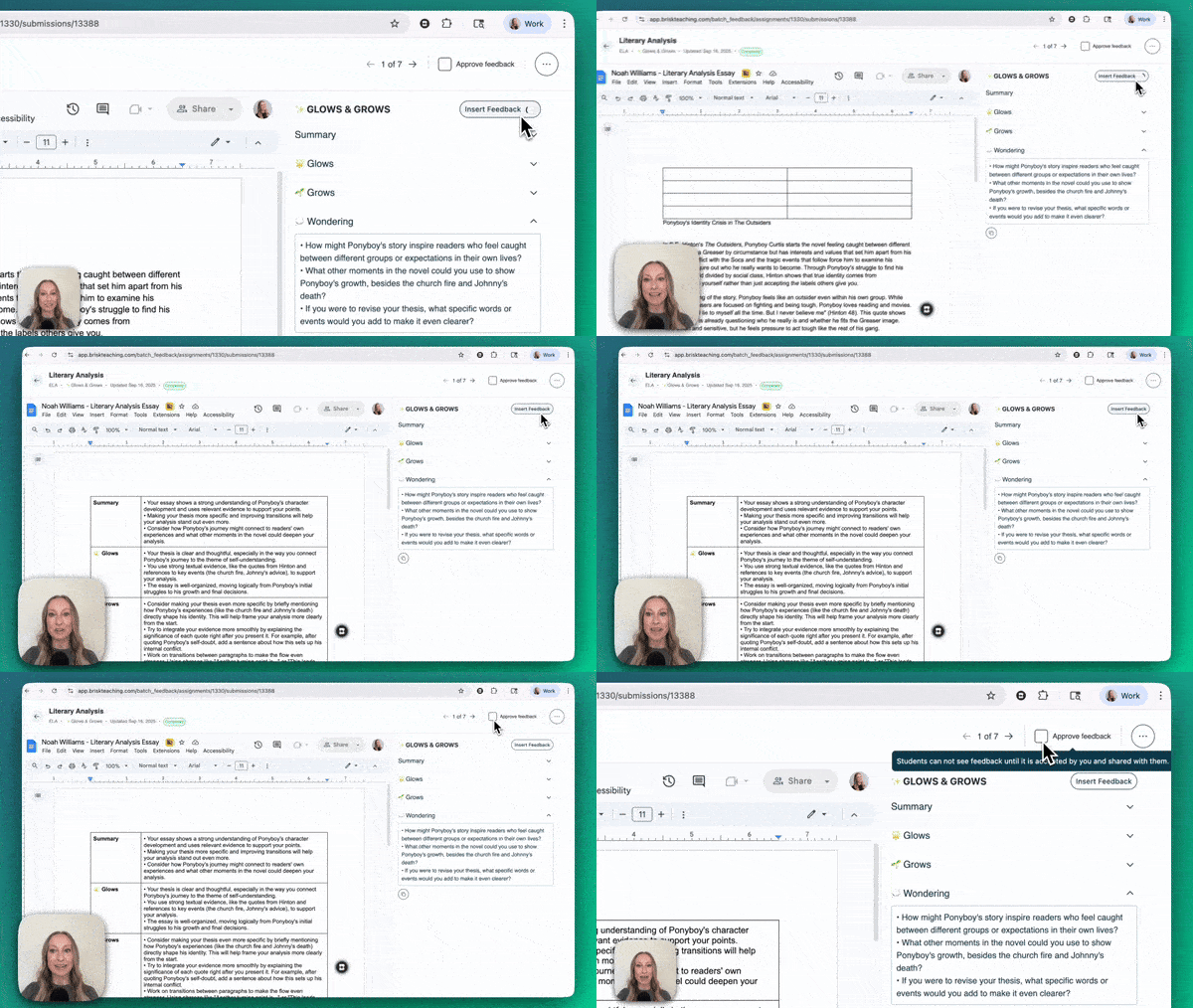
Drafting feedback on student work is one of the most popular ways teachers are using AI. There are several tools and workflows, each offering a different balance of efficiency and teacher oversight. One simple approach is copying and pasting student work into an AI chatbot like Gemini or ChatGPT. The chatbot drafts feedback, which then needs to be reviewed, edited, and copied back to students. It works, but it can still feel a bit clunky with all that copying and pasting. Another option is Brisk Teaching. Brisk recently introduced batch feedback, which streamlines the process significantly. Teachers upload a folder of student work from Google Drive or Google Classroom, choose a feedback style, and specify grade level, standards, or rubrics. Brisk drafts feedback for each submission, and teachers can review and edit everything before it goes back to students. Free Brisk accounts currently allow up to four assignments per day, with as many as 30 submissions per assignment. Learn more about Batch Feedback in the Brisk Bites video.
|
|
One of the most interesting AI feedback tools comes from teachers who identified a classroom problem and turned their idea into a real solution. I recently had a conversation with Mike Harbough, one of the founders of EnlightenAI. He is a former teacher who partners with another educator to design an AI feedback tool that puts calibration front and center. What makes EnlightenAI stand out is that teachers train the AI using their own feedback. After a teacher provides feedback on at least five assignments, the AI begins drafting feedback that mirrors that teacher’s tone, priorities, and style. Teachers remain the reviewer and decision maker, not just the final click.
|
|
Free EnlightenAI accounts include up to 150 student submissions per month. Unlimited use is $20 per teacher, with district pricing options available at approximately $5 per student. Teachers who want to dig in can explore the platform through EnlightenAI’s Fundamentals Course. I was reminded of an important idea while listening to Adam Sparks during his webinar Bot and a Hard Place: Writing Instruction in the Age of AI. He emphasized that it is not just about keeping the teacher “in the loop.” Instead, AI can be invited into the loop with the teacher clearly in charge. That distinction matters. Feedback is not busywork to offload. It informs instruction, shapes next steps, and builds relationships with students. AI can help draft, organize, and speed things up, but the teacher’s judgment should always drive the feedback students receive.
|
Peer-Powered Perspectives 👥
|
|
Since I mentioned Adam Sparks above, it’s worth sharing a bit more about his background. He’s a former high school English and social studies teacher and the founder of Short Answer, a platform designed to strengthen student writing and critical thinking through peer feedback and comparative judgment. Short Answer grew out of Adam’s frustration with students skimming past the feedback he wrote on their assignments. Short Answer shifts students into a more active role in the feedback process. Students review pairs of peer responses and decide which one better meets the criteria set by the teacher. As they compare, they explain their reasoning and provide short, focused feedback. This helps students better understand what quality work looks like, while giving teachers clearer insight into student thinking. Short Answer is yet another example of a teacher taking an idea and turning it into a usable product.
|
|
Ideas don’t need to stay stuck in your head. Want to see how AI can help you turn them into real apps? Join Classy Vibing with AI, my upcoming online course. Register by January 30th and save $20.
|
|
Subscribe at learninginhand.com AI gave me a hand with brainstorming, drafting, and polishing this issue. Of course, I reviewed and adjusted everything before sharing it with you.
|
|
|
|