|
Give your slides, lessons, and classroom routines a summer glow-up. ͏ ͏ ͏ ͏ ͏ ͏ ͏ ͏ ͏ ͏ ͏ ͏ ͏ ͏ ͏ ͏ ͏ ͏ ͏ ͏ ͏ ͏ ͏ ͏ ͏ ͏ ͏ ͏ ͏ ͏ ͏ ͏ ͏ ͏ ͏ ͏ ͏ ͏ ͏ ͏ ͏ ͏ ͏ ͏ ͏ ͏ ͏ ͏ ͏ ͏ ͏ ͏ ͏ ͏ ͏ ͏ ͏ ͏ ͏ ͏ ͏ ͏ ͏ ͏ ͏ ͏ ͏ ͏ ͏ ͏ ͏ ͏ ͏ ͏ ͏ ͏ ͏ ͏ ͏ ͏ ͏ ͏ ͏ ͏ ͏ ͏ ͏ ͏ ͏ ͏ ͏ ͏ ͏ ͏ ͏ ͏ ͏ ͏ ͏ ͏ ͏ ͏ ͏ ͏ ͏ ͏ ͏ ͏ ͏ ͏ ͏ ͏ ͏ ͏ ͏ ͏ ͏ ͏ ͏ ͏ ͏ ͏ ͏ ͏ ͏ ͏ ͏ ͏ ͏ ͏ ͏ ͏ ͏ ͏ ͏ ͏ ͏ ͏ ͏ ͏ ͏ ͏ ͏ ͏ ͏ ͏ ͏ ͏ ͏ ͏ ͏ ͏ ͏ ͏ ͏ ͏ ͏ ͏ ͏ ͏ ͏ ͏ ͏ ͏ ͏ ͏ ͏ ͏ ͏ ͏ ͏ ͏ ͏ ͏ ͏ ͏ ͏ ͏ ͏ ͏ ͏ ͏ ͏ ͏ ͏ ͏ ͏ ͏ ͏ ͏ ͏ ͏ ͏ ͏ ͏ ͏ ͏ ͏ ͏ ͏ ͏ ͏ ͏ ͏ ͏ ͏ ͏ ͏ ͏ ͏ ͏ ͏ ͏ ͏ ͏ ͏ ͏ ͏ ͏ ͏ ͏ ͏ ͏ ͏ ͏ ͏ ͏ ͏ ͏ ͏ ͏ ͏ ͏ ͏ ͏ ͏ ͏ ͏ ͏ ͏ ͏ ͏ ͏ ͏ ͏ ͏ ͏ ͏ ͏ ͏ ͏ ͏ ͏ ͏ ͏
|
It’s the time of year when many teachers design slides, posters, graphics, and other materials for their classrooms. It’s also a time when many teachers explore new tools and rethink some of their lessons. This issue has some fresh visual and lesson design resources.
|
|
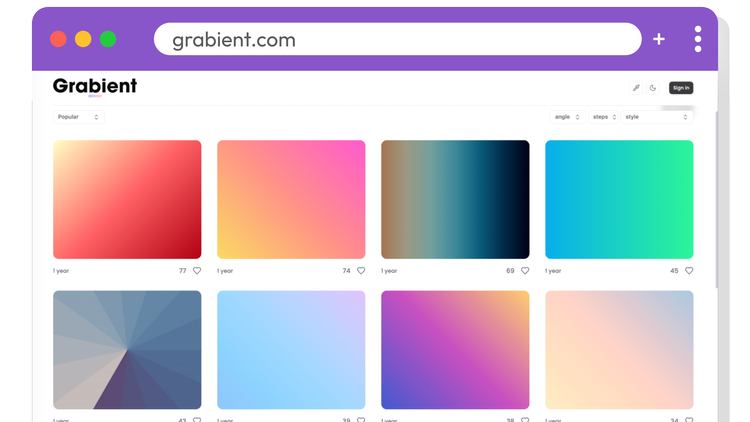
Creating a gradient that looks polished isn't as easy as picking two colors. The right combination of colors, direction, and balance can make a big difference. That's why Grabient is such a handy resource. It features more than 720 beautiful, ready-to-use gradients that you can browse, customize, and export as CSS, SVG, or an image. They're perfect for slides, posters, graphics, and other classroom materials. If you're vibe coding with AI, you can even describe or upload a Grabient gradient and ask the AI to match the colors or recreate the look in your app or website. Go grab a gradient and give your next project a colorful boost.
|
|
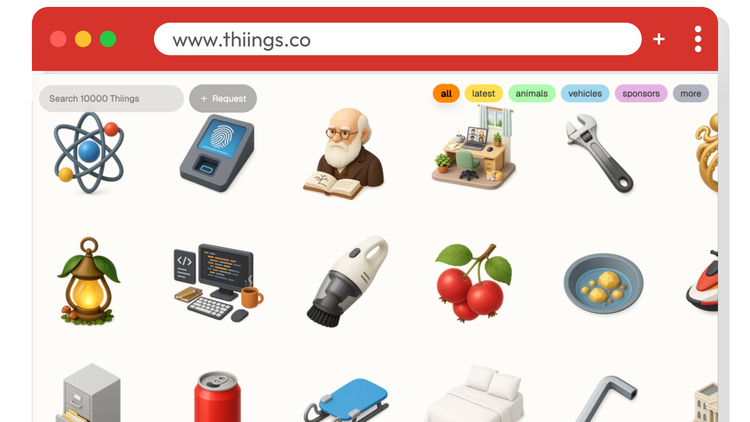
Icons can make slides, handouts, posters, and other classroom materials easier to scan and more visually appealing. Most icons are flat, looking like simple symbols without much depth. If you'd rather have icons that look more like tiny 3D objects, check out Thiings. It features more than 10,000 free AI-generated icons in a consistent isometric style. Isometric means every object is drawn from the same angle, creating the illusion of depth while keeping everything visually consistent. It's a great word to include in AI prompts when you want that distinctive look. The Thiings collection is searchable, and you can even request new icons to be added. If you'd rather generate your own, upload a few Thiings icons to ChatGPT, Gemini, or your favorite AI image generator and ask it to create an isometric icon in the same style. Add isometric to your next AI prompt and see how quickly your artwork gains depth.
|
|
Wanda Terral is a Google Certified Trainer and Innovator who knows her stuff. She shared an updated and fantastic companion document to her presentation, Gobs of Goodies from Google. It's full of time-savers, including URL hacks, toolbar customizations, Chrome extensions, keyboard shortcuts, and much more. I picked out four goodies that might help you give students something worthwhile to explore. AI Quests turns middle school students into AI problem-solvers. Through a series of interactive, code-free challenges, students explore how AI works, train models, and think critically about designing AI that addresses real-world problems. It's a fun introduction to AI literacy without requiring any coding. Little Language Lessons is a Google Labs experiment powered by Gemini that creates personalized language-learning activities. Students can build vocabulary, practice conversations, explore idioms, and strengthen communication skills through interactive AI-generated lessons. Which Face Is Real? asks students to decide whether each face is an authentic photograph or AI-generated. It's a quick activity that naturally sparks conversations about AI, misinformation, and evaluating digital media. 5 Clue Challenges from Michael Soskil build curiosity one clue at a time. Students pause after each clue to make predictions before the answer is revealed. The mystery topics make excellent lesson hooks, and students can create their own challenges after a unit of study. Fair warning: Gobs of Goodies from Google could keep you busy for the rest of the summer. Happy exploring!
|
|
Exit tickets are a quick way to check for understanding, encourage reflection, and gather feedback before students leave class. But not every exit ticket should ask the same question. Sometimes you want to see if students understood the lesson. Other times you want them to make connections, reflect on their learning, or tell you how they're feeling. The six resources below offer hundreds of exit ticket questions, from tried-and-true prompts to more creative ideas. As you browse, you'll notice most questions fall into one of these categories: 🧠 Understanding: Check comprehension of key ideas. 🛠️ Application: See if students can use what they learned. 🤔 Reflection: Encourage students to think about their learning. 👍 Confidence: Gauge students' self-assessment. 🔗 Connection: Link learning to prior knowledge or future lessons. 💬 Feedback: Collect input about the lesson or instruction. 😊 Emotion: Understand students' attitudes and feelings.
For a recent Smart Exits workshop, I created an Exit Ticket Question Generator Gemini Gem. Tell it about your lesson and it will ask a few follow-up questions before generating three targeted exit ticket questions for each category. That gives you plenty of options to choose from, whether students respond on a sticky note, a slip of paper, a Google Form, with hand signals, verbally, or even with a drawing.
|
|
It’s a good thing it’s called Teacher Hive, because it’s always buzzing with new web-based apps! If you're looking to rethink your classroom setup, routines, lessons, or icebreakers, here are a few recently added apps to check out. Classroom Layout Designer from Brienne Peers
Plan your classroom layout before setting everything up. Drag, rotate, resize, and label desks, rugs, boards, and more on a canvas with automatic local saving. Roominate from Torrence Jones
Design your classroom by adding assets, room dimensions and atmospheric conditions. Choose among layout models and review analytics. PBL Launchpad from Brian Briggs
Build complete Gold Standard PBL units with driving questions, timelines, rubrics, public products, and export-ready classroom materials. Sticky Hive from Tony Vincent
Teachers collect notes with text, links, images, and files from students to be displayed on a board for all to see. Unpopular Opinion Spinner from Brian Briggs
Spin up school-safe unpopular opinions by audience, topic, and heat level to spark fun classroom debate, quick discussion, and student voice.
|
|
To see what’s just landed on Teacher Hive, check out the New Apps page. And to find out what apps are trending, go to the Trending page. The best thing about these apps is knowing they are made by educators. If they can create apps like these, so can you.
|
|
While many teachers take time to revamp, it’s important to take time for yourself. If you’re on summer break, keep resting, relaxing, and having fun. Snooze this email and come back to it later. Smiles from Iowa,
|
|
Subscribe at learninginhand.com AI gave me a hand with brainstorming, drafting, and polishing this issue. Of course, I reviewed and adjusted everything before sharing it with you.
|
|
|
|