|
Discover a movement break, AI explainers, a formatting fix, and more. ͏ ͏ ͏ ͏ ͏ ͏ ͏ ͏ ͏ ͏ ͏ ͏ ͏ ͏ ͏ ͏ ͏ ͏ ͏ ͏ ͏ ͏ ͏ ͏ ͏ ͏ ͏ ͏ ͏ ͏ ͏ ͏ ͏ ͏ ͏ ͏ ͏ ͏ ͏ ͏ ͏ ͏ ͏ ͏ ͏ ͏ ͏ ͏ ͏ ͏ ͏ ͏ ͏ ͏ ͏ ͏ ͏ ͏ ͏ ͏ ͏ ͏ ͏ ͏ ͏ ͏ ͏ ͏ ͏ ͏ ͏ ͏ ͏ ͏ ͏ ͏ ͏ ͏ ͏ ͏ ͏ ͏ ͏ ͏ ͏ ͏ ͏ ͏ ͏ ͏ ͏ ͏ ͏ ͏ ͏ ͏ ͏ ͏ ͏ ͏ ͏ ͏ ͏ ͏ ͏ ͏ ͏ ͏ ͏ ͏ ͏ ͏ ͏ ͏ ͏ ͏ ͏ ͏ ͏ ͏ ͏ ͏ ͏ ͏ ͏ ͏ ͏ ͏ ͏ ͏ ͏ ͏ ͏ ͏ ͏ ͏ ͏ ͏ ͏ ͏ ͏ ͏ ͏ ͏ ͏ ͏ ͏ ͏ ͏ ͏ ͏ ͏ ͏ ͏ ͏ ͏ ͏ ͏ ͏ ͏ ͏ ͏ ͏ ͏ ͏ ͏ ͏ ͏ ͏ ͏ ͏ ͏ ͏ ͏ ͏ ͏ ͏ ͏ ͏ ͏ ͏ ͏ ͏ ͏ ͏ ͏ ͏ ͏ ͏ ͏ ͏ ͏ ͏ ͏ ͏ ͏ ͏ ͏ ͏ ͏ ͏ ͏ ͏ ͏ ͏ ͏ ͏ ͏ ͏ ͏ ͏ ͏ ͏ ͏ ͏ ͏ ͏ ͏ ͏ ͏ ͏ ͏ ͏ ͏ ͏ ͏ ͏ ͏ ͏ ͏ ͏ ͏ ͏ ͏ ͏ ͏ ͏ ͏ ͏ ͏ ͏ ͏ ͏ ͏ ͏ ͏ ͏ ͏ ͏ ͏ ͏ ͏ ͏ ͏ ͏
|
Last week I traveled to Killeen, Texas, where I led four professional development sessions for teachers. After more than 20 years of presenting, I still enjoy finding new ways to make workshops practical, engaging, and immediately useful. Reading participant feedback is one of the best parts of the job. Here are two comments that made me smile: "Every single little thing was useful and teacher-friendly. The tools learned will save time during lesson planning." "I have already created 2 games for students to play next year... AMAZING training!!" I probably don't mention this often enough, but I really enjoy leading professional learning. I intentionally keep my travel schedule lighter than many presenters, which gives me more time to create fresh sessions and tailor them to the educators in the room. My workshops cover topics such as teaching with AI, AI literacy for teachers and students, Google Slides and Canva design, video creation in Canva, lesson hooks, exit tickets, and practical strategies for sparking curiosity and engagement. If you're planning professional learning for your staff or event, I'd be happy to talk about ideas, topics, dates, and fees. Just shoot me an email!
|
|
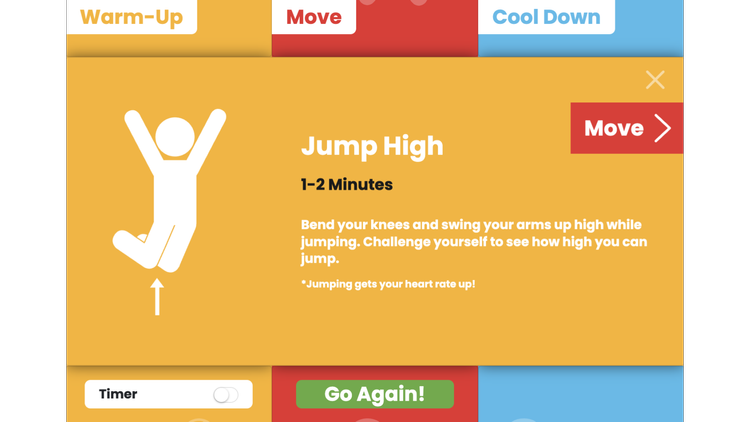
One of my most requested presentations is all about digital snacks: websites, apps, and videos that give students a quick mental reset. They're handy for brain breaks, building classroom community, or keeping early finishers productively engaged. I'm always on the lookout for new digital snacks to add to my growing collection. One recent addition to the Physical category is FitBoost. Designed for elementary students, it creates a quick movement break by spinning to randomly choose a warm-up, an activity, and a cool-down. Clear on-screen directions and an optional built-in timer make it easy to get a class up, moving, and then back to learning in just a few minutes. It's simple, requires almost no teacher prep, and adds a bit of anticipation because each spin creates a different combination of activities.
|
|
One of the workshops I presented in Killeen was The ABCs of AI, an introduction to how generative AI works and what every educator should know. One of the biggest challenges is explaining concepts like training and inference without diving into technical jargon. That's why I was excited to discover these short YouTube videos from Cyber Superior. Each is under one minute long and uses simple visuals and analogies to explain what's happening behind the scenes when you use AI. They're well-paced, easy to understand, and would work equally well for teachers, older students, or anyone who's curious about how AI works. Even if you're already familiar with the basics, they're worth watching.
|
|
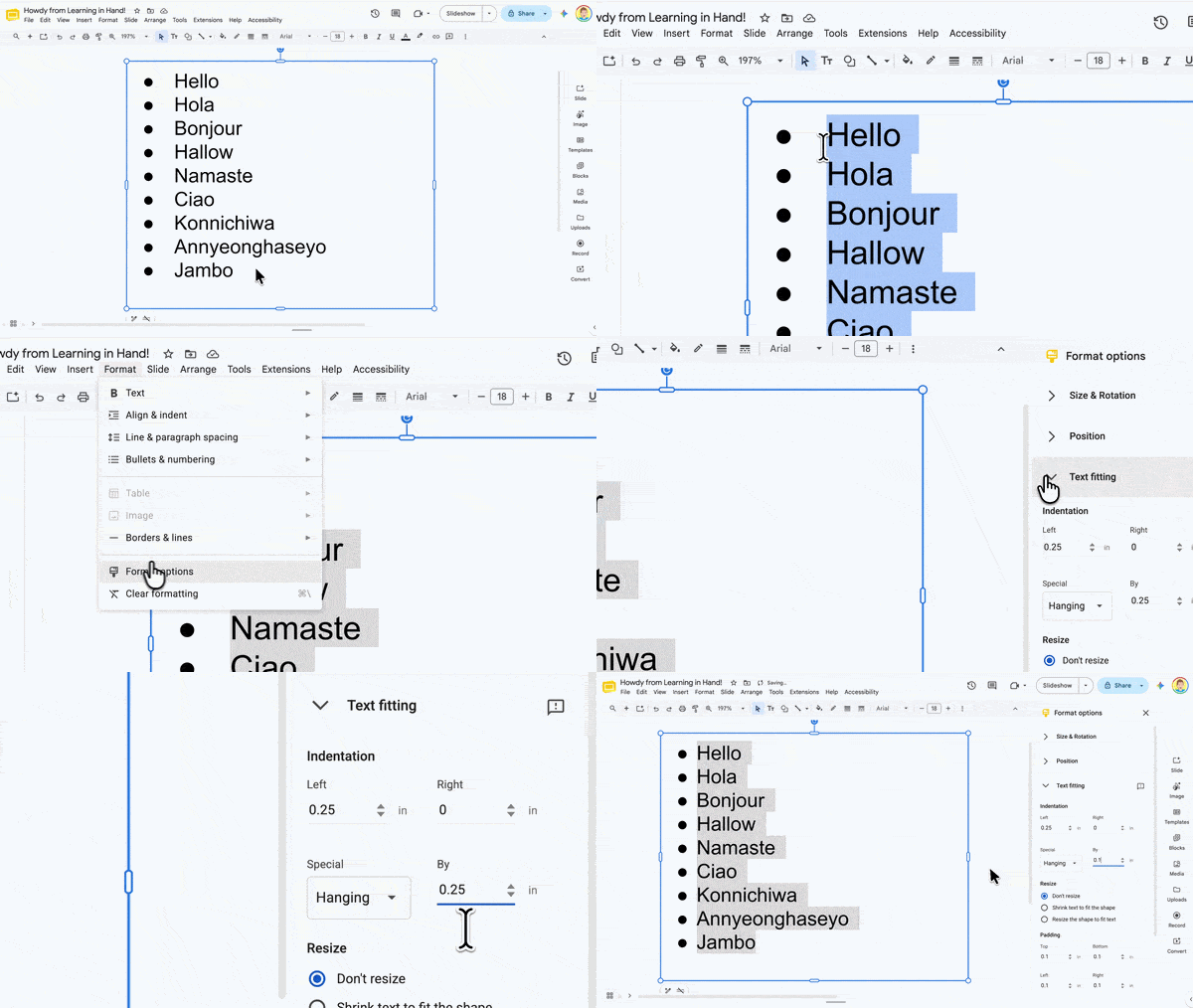
I create a lot of presentations and handouts in Google Slides, and one little formatting detail has always bugged me: the space between a bullet and its text. Depending on the font size, that gap can be much wider than it needs to be. The gap between the bullet and the text is called the hanging indent. Knowing what it’s called is handy because you can actually change it! Select the entire bulleted list. Go to Format → Format options. Expand Text fitting. Under Special indentation, make sure Hanging is selected. Reduce the default value of 0.25 until the spacing looks right. I often use 0.10.
It's a tiny tweak, but cleaner bullets make slides and handouts look more polished while giving you a little more room for your content.
|
|
For a workshop on coding with AI in Killeen, I finally built an app I'd been wanting to create for a while. I started with a rough version during the live demonstration, then kept refining it afterward. The app, Say It Like You Mean It, was inspired by a TikTok trend where people repeat the same phrase in different voices or styles. A phrase appears on the screen, then students reveal one random way to say it. After they've performed it, they reveal another, and another. It's surprisingly funny, and every round is different. I designed the app to be projected for the whole class. It comes with built-in phrase sets, but you can also create your own. Imagine practicing vocabulary, reinforcing classroom expectations, reviewing academic concepts, or simply enjoying a few laughs together. Hearing the same phrase repeated in different ways is a great way to help it stick. During the workshop, teachers helped name the app, and Say It Like You Mean It was the clear favorite. If you want to turn up the silliness, switch from Regular mode to Silly, Wild, or Ridiculous. I'm already thinking of new phrase sets to add.
|
|
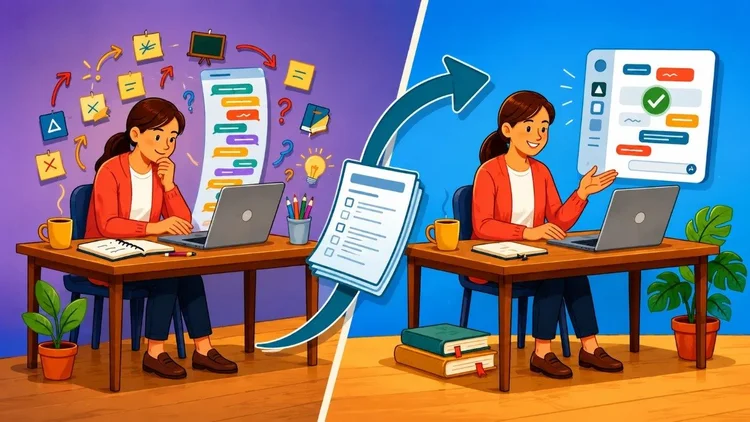
One of the biggest improvements I've made when vibe coding, building apps by collaborating with AI, is using two separate AI chats instead of one. The first chat is all about planning. I work with the AI to figure out what the app should do, how it should look, and what features it should include. By the end of that conversation, we have a clear plan. Then I start a brand-new chat and give the AI the plan before asking it to write any code. Instead of juggling brainstorming and coding in the same conversation, each chat has a single job. I don't use this approach for every project, but for more complex apps like Say It Like You Mean It, it makes the process much smoother. I explain the workflow in more detail in a recent article on Teacher Hive's The Buzz, including why separating planning from coding leads to better results.
|
|
New apps continue to pop up on Teacher Hive every week, and it's always fun to see what educators create. Here are four that recently caught my eye: Emoji Riddles from Donna Golightly
Decipher the emojis to guess the movie, fairy tale, or saying. Play together or play against a partner. You can even build your own riddles. Galactic Fractions from Sharon
Plot fractions on a number line and score points if you get close. Calming Room from Mandi Bush
Designed to help you practice self-care, manage emotions, and build resilience. It combines interactive mindfulness tools with browser-synthesized ambient sounds and live nature portals. Cosmic Fingerprint from Kim Watson
A self-paced, gamified educational web app; which teaches students how to identify chemical elements in distant stars by analyzing spectral lines (emission and absorption spectra).
Check out the feed of new apps on Teacher Hive. Better yet, create a free account so you can follow creators, save your favorites, and be notified when new apps are published.
|
|
If we haven't met in person yet, maybe we will someday. Until then, thanks for letting me share ideas with you through this newsletter. I appreciate you being here. Smiles from Iowa,
|
|
Subscribe at learninginhand.com AI gave me a hand with brainstorming, drafting, and polishing this issue. Of course, I reviewed and adjusted everything before sharing it with you.
|
|
|
|