|
What’s new in Canva, trending tech tools, new teacher apps, school calendar converter ͏ ͏ ͏ ͏ ͏ ͏ ͏ ͏ ͏ ͏ ͏ ͏ ͏ ͏ ͏ ͏ ͏ ͏ ͏ ͏ ͏ ͏ ͏ ͏ ͏ ͏ ͏ ͏ ͏ ͏ ͏ ͏ ͏ ͏ ͏ ͏ ͏ ͏ ͏ ͏ ͏ ͏ ͏ ͏ ͏ ͏ ͏ ͏ ͏ ͏ ͏ ͏ ͏ ͏ ͏ ͏ ͏ ͏ ͏ ͏ ͏ ͏ ͏ ͏ ͏ ͏ ͏ ͏ ͏ ͏ ͏ ͏ ͏ ͏ ͏ ͏ ͏ ͏ ͏ ͏ ͏ ͏ ͏ ͏ ͏ ͏ ͏ ͏ ͏ ͏ ͏ ͏ ͏ ͏ ͏ ͏ ͏ ͏ ͏ ͏ ͏ ͏ ͏ ͏ ͏ ͏ ͏ ͏ ͏ ͏ ͏ ͏ ͏ ͏ ͏ ͏ ͏ ͏ ͏ ͏ ͏ ͏ ͏ ͏ ͏ ͏ ͏ ͏ ͏ ͏ ͏ ͏ ͏ ͏ ͏ ͏ ͏ ͏ ͏ ͏ ͏ ͏ ͏ ͏ ͏ ͏ ͏ ͏ ͏ ͏ ͏ ͏ ͏ ͏ ͏ ͏ ͏ ͏ ͏ ͏ ͏ ͏ ͏ ͏ ͏ ͏ ͏ ͏ ͏ ͏ ͏ ͏ ͏ ͏ ͏ ͏ ͏ ͏ ͏ ͏ ͏ ͏ ͏ ͏ ͏ ͏ ͏ ͏ ͏ ͏ ͏ ͏ ͏ ͏ ͏ ͏ ͏ ͏ ͏ ͏ ͏ ͏ ͏ ͏ ͏ ͏ ͏ ͏ ͏ ͏ ͏ ͏ ͏ ͏ ͏ ͏ ͏ ͏ ͏ ͏ ͏ ͏ ͏ ͏ ͏ ͏ ͏ ͏ ͏ ͏ ͏ ͏ ͏ ͏ ͏ ͏ ͏ ͏ ͏ ͏ ͏ ͏ ͏ ͏ ͏ ͏ ͏ ͏ ͏ ͏ ͏ ͏ ͏ ͏ ͏
|
Issue 59 • Date May 13, 2026
|
|
As the school year winds down, summer is finally starting to appear on the calendar. Right now, your schedule might feel packed with grading, cleaning, field trips, checkout forms, and countdowns. But before you completely fill your June calendar with naps, pool days, and avoiding your email inbox, this issue includes a few dates worth considering. I’m hosting two professional learning experiences in June: Classy Vibing with AI and Camp Plug and Play 20.0. If you’re looking to add some creative, practical, and genuinely fun PD to your summer calendar, keep reading.
|
|
Last month, Canva introduced loads of new features at Canva Create. Some of the big releases include: Canva Offline
Keep designing even when you don’t have an internet connection. Print Shop
Put your designs on t-shirts, mugs, invitations, business cards, banners, and other customizable products. Learn Grid
Browse and search ready-to-teach activities by curriculum, subject, or grade level.
Canva also granted several community wishes, launching features requested by users: See these features in action, along with classroom workflow advice, in the What’s New in Canva Education video on YouTube. Most of these features use AI, and it’s important to know that Canva recently changed its AI usage limits. All AI tools now share the same allowance, and you can track your AI usage on the Billing page in Settings.
|
|
Among the many updates announced at Canva Create, the improvements to Canva Code stood out to me the most. Before this update, Canva Code was one of the least popular vibe coding options in my February 2026 Classy Vibing with AI workshop. While it was convenient to place creations directly into a Canva Site or Presentation, the AI experience felt much more limited than Gemini, Claude, or ChatGPT. That’s no longer the case. Canva Code 2.0 is now powered by Claude 3.7 Sonnet, a stronger AI model. Canva also added file uploads, which opens the door to creating more useful and personalized tools. And, you can click an element in the preview to change the text, color, and style. These improvements make Canva Code more compelling for educators and creators who want to build classroom resources without traditional coding skills.
|
|
Here’s an example I coded and published to a Canva Site: Moon Travel Calculator. Pick a speed and find out how long the 384,400 km journey would take. That’s one reason I’m excited to bring back Classy Vibing with AI this June. In the workshop, you’ll explore creative ways to build tools, apps, and resources with AI, including how connecting Canva Code to Canva Sheets unlocks even more possibilities. Read more about Classy Vibing with AI and consider registering today. Use discount code INHAND to save $5.
|
|
Still deciding? Watch Chad’s testimonial video. By the way, if you registered for February’s workshop but didn’t get a chance to participate, or if you’d like to experience it again with a new cohort, email me for a 50% discount code.
|
|
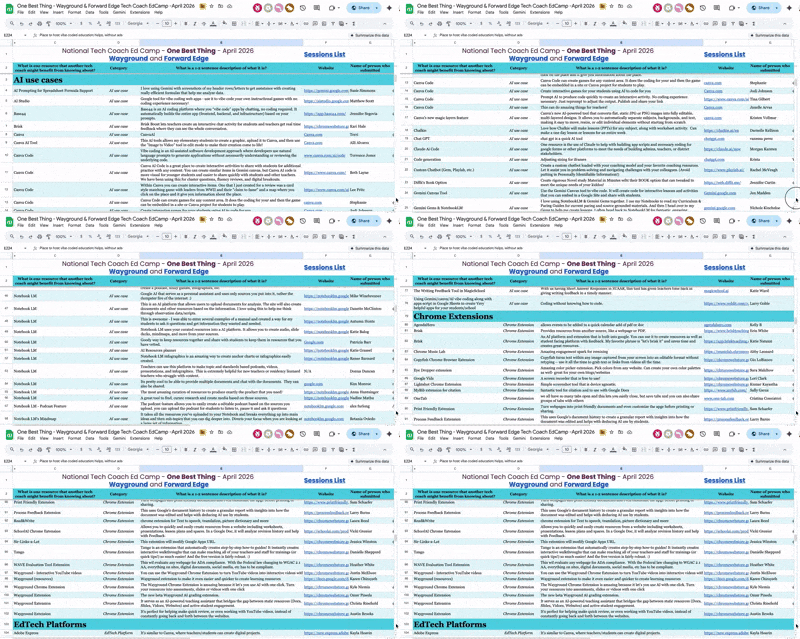
During last month’s National Tech Coach Ed Camp, participants were asked: “What is one resource another tech coach might benefit from knowing about?” I enjoy looking through the One Best Thing list because it offers a snapshot of what’s trending in edtech right now. Here are the top 10 resources by number of mentions: NotebookLM Canva Google Gemini Wayground EduGems Magic School Google Vids Teacher Hive ☺️ SchoolAI Book Creator
|
|
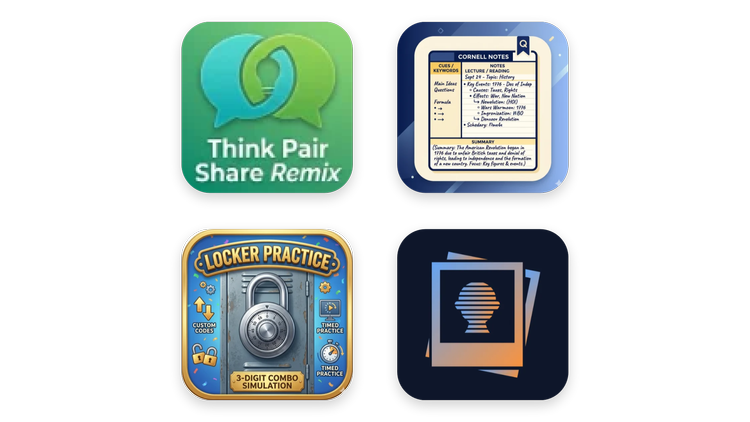
Did you notice Teacher Hive made the Top 10 in the “One Best Thing” list?! New teacher-made apps are added to Teacher Hive every day. Allow me to spotlight some recent additions. Think-Pair-Share Remix from Mrs. Way
This app is designed to help you mix up your discussion routines & keep student engagement high! A magic spinner selects a variation of think-pair-share and guides students with instructions & timers! Locker Practice from Dan Gallagher
Master 3-digit locker combos with this realistic 3D simulation. Features an integrated dial, custom/random codes, timed practice, and a slow-motion computer preview to help students build speed. Cornell Notes Tutorial from Nicole P.
This activity will walk you through how to use Cornell Notes. Secure Obscure from Tony Vincent
Blur faces or parts of a photo to protect privacy. Images never leave your computer.
|
|
It’s become a yearly tradition for me: adding the school calendar to my personal calendar app. That usually means entering a few dozen events like the first day of school, breaks, teacher workdays, semester endings, and more. One quick way to do this is with Agenda Hero. Simply search for your school district. If your district is listed, enter your email address and Agenda Hero will send you a link to view the calendar. Agenda Hero uses AI to extract events from the school calendar. You can add every event to your calendar at once or choose individual events to add separately. If your school calendar isn’t listed yet, you can request it and receive an email once it has been added. Prefer not to share your email address with Agenda Hero, or don’t want to wait for your district’s calendar to appear? Try the School Calendar PDF → Your Calendar Gemini Gem instead. I created the Gem instructions to extract events from uploaded school calendars and generate .ics files that can be imported into calendar apps. Whichever tool you use, getting your school calendar into your personal calendar is one practical way AI can genuinely save you time.
|
|
Speaking of dates, every June since 2006, Arizona K12 Center’s Camp Plug and Play has been on my calendar. Most years, camp has taken place in person, always with a focus on creativity and innovation. For 2026, Camp Plug and Play 20.0 is fully online, and I’d love to invite you to join us. While camp is usually exclusive to Arizona educators, this year the Arizona K12 Center is opening registration to teachers outside Arizona as well. Camp Plug and Play 20.0 runs June 2–4, 2026, and registration is just $75. That includes six live 90-minute presentations and three 45-minute Campfire Chats, all hosted by me on Zoom. Interested? Check out the session descriptions and register by May 31st.
|
|
Subscribe at learninginhand.com AI gave me a hand with brainstorming, drafting, and polishing this issue. Of course, I reviewed and adjusted everything before sharing it with you.
|
|
|
|