|
Design, branding, AI fails, texting game, better than icebreakers ͏ ͏ ͏ ͏ ͏ ͏ ͏ ͏ ͏ ͏ ͏ ͏ ͏ ͏ ͏ ͏ ͏ ͏ ͏ ͏ ͏ ͏ ͏ ͏ ͏ ͏ ͏ ͏ ͏ ͏ ͏ ͏ ͏ ͏ ͏ ͏ ͏ ͏ ͏ ͏ ͏ ͏ ͏ ͏ ͏ ͏ ͏ ͏ ͏ ͏ ͏ ͏ ͏ ͏ ͏ ͏ ͏ ͏ ͏ ͏ ͏ ͏ ͏ ͏ ͏ ͏ ͏ ͏ ͏ ͏ ͏ ͏ ͏ ͏ ͏ ͏ ͏ ͏ ͏ ͏ ͏ ͏ ͏ ͏ ͏ ͏ ͏ ͏ ͏ ͏ ͏ ͏ ͏ ͏ ͏ ͏ ͏ ͏ ͏ ͏ ͏ ͏ ͏ ͏ ͏ ͏ ͏ ͏ ͏ ͏ ͏ ͏ ͏ ͏ ͏ ͏ ͏ ͏ ͏ ͏ ͏ ͏ ͏ ͏ ͏ ͏ ͏ ͏ ͏ ͏ ͏ ͏ ͏ ͏ ͏ ͏ ͏ ͏ ͏ ͏ ͏ ͏ ͏ ͏ ͏ ͏ ͏ ͏ ͏ ͏ ͏ ͏ ͏ ͏ ͏ ͏ ͏ ͏ ͏ ͏ ͏ ͏ ͏ ͏ ͏ ͏ ͏ ͏ ͏ ͏ ͏ ͏ ͏ ͏ ͏ ͏ ͏ ͏ ͏ ͏ ͏ ͏ ͏ ͏ ͏ ͏ ͏ ͏ ͏ ͏ ͏ ͏ ͏ ͏ ͏ ͏ ͏ ͏ ͏ ͏ ͏ ͏ ͏ ͏ ͏ ͏ ͏ ͏ ͏ ͏ ͏ ͏ ͏ ͏ ͏ ͏ ͏ ͏ ͏ ͏ ͏ ͏ ͏ ͏ ͏ ͏ ͏ ͏ ͏ ͏ ͏ ͏ ͏ ͏ ͏ ͏ ͏ ͏ ͏ ͏ ͏ ͏ ͏ ͏ ͏ ͏ ͏ ͏ ͏ ͏ ͏ ͏ ͏ ͏ ͏
|
Issue 64 • Date August 12, 2026
|
|
I love designing things, especially resources that bring joy to teachers and students. Last week I officially announced Shapegrams Junior, a new web app for students in grades K-3. It features colorful picture puzzles that help children practice fine motor skills along with technology skills like dragging, rotating, resizing, and coloring. I'll keep adding new pictures and activities over time, so there's always something fresh to explore. You can read more about Shapegrams Junior.
|
|
Shapegrams Junior is just one of dozens of apps I've created with the help of AI. If you browse my Teacher Hive profile, you will notice that every app has its own personality. I spend almost as much time thinking about names, icons, colors, and overall style as I do building the apps themselves. Long before I started vibe coding apps, my favorite design project was my classroom. I discovered that thoughtful design, from logos to colors to visuals, could help students feel like they were part of something amazing.
|
🏷️ Building a Brand & Belonging
|
|
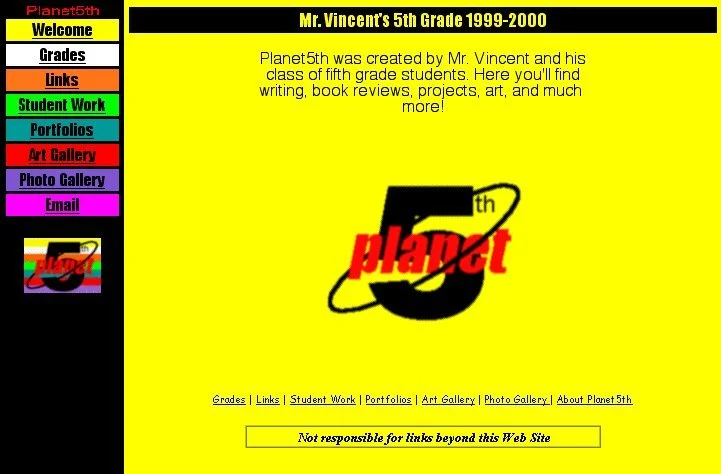
My second year of teaching, my fifth grade class named itself Planet 5th. I created a logo in AppleWorks and plastered it all over our classroom. We even had a class website, way back in 1999, called Planet 5th. Designing that logo with the software available at the time was a challenge. Looking back, the effort was absolutely worth it. Our class formed an identity. We weren't just a group of students sharing a room. We became a community. Through our website, we even connected with people beyond our school.
|
|
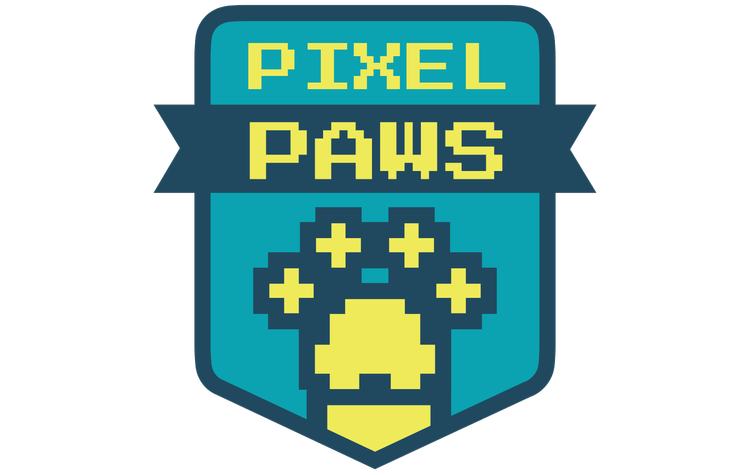
For the next several years, every class of students I taught was Planet 5th. In hindsight, I wish I had given each year's class its own unique identity. That's exactly what I did when I returned to the classroom in 2018. Through a series of class activities, we chose the name Pixel Paws, inspired by our shared love of animals and technology. I spent Labor Day weekend hunched over my computer refining logo ideas my students had sketched.
|
|
Those Pixel Paws just graduated from high school, and they still remember our class brand. In fact, one former student recently asked me to make another Pixel Paws wall decal because his family is moving and he wants one for his new room. That's the kind of lasting connection a shared identity can create. You can read more about how we crafted our class brand. Today, creating a class logo doesn't have to take an entire holiday weekend. AI tools can turn student sketches and ideas into polished designs in minutes. If I were still teaching, I'd have students brainstorm and sketch logo concepts, then use Gemini to generate refined versions. As a class, we'd compare versions, combine the strongest ideas, and create a logo the whole class would be proud to rally around.
|
|
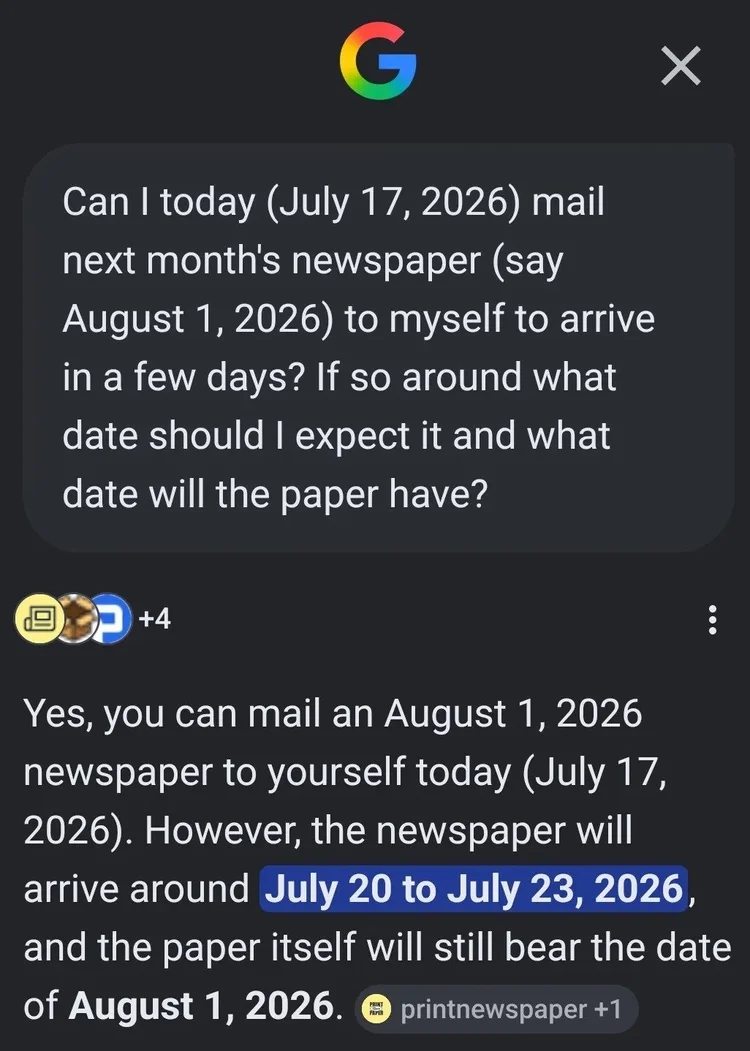
AI probably won't design the perfect class logo on the first try. That's okay because AI doesn't get a lot of things right on the first try. In fact, AI sometimes gets things spectacularly wrong. Google made the bold choice to place AI Overviews at the top of many search results. Most of the time they're helpful. Sometimes they're confusing. And occasionally they're hilariously wrong. My cousin-in-law, Vincent Conitzer, has a Substack called Funny AI Fails, where he shares screenshots of outrageous AI Overviews. I've been using some of them in presentations because they make an important point: Large language models aren't trained on reality. They're trained on language about reality. AI is stochastic, meaning it generates responses based on probability rather than certainty. It predicts one token at a time (roughly a word or part of a word), choosing what is most likely to come next. Usually those predictions are remarkably good. Sometimes they lead to mistakes, made-up information, or just plain weird answers. That's why it's important to treat AI as a collaborator, not an authority. Whether you're creating a class logo or asking AI to explain a science concept, always review, revise, and verify what it produces.
|
|
Want Google search results without the AI Overview? Try adding -ai to the end of your search query. If you'd rather hide AI Overviews automatically, the Chrome extension Hide AI Overviews does exactly that. Unfortunately, many schools don't allow browser extensions. That's one reason I built Blue Goo. Its tagline is: Don't get stuck in the AI noise. Blue Goo sends your search to Google and returns the familiar list of blue links, without the AI Overview at the top. It's a great option for students because it lets them research and synthesize information for themselves first. Then they can compare their conclusions with Google's AI Overview and discuss similarities, differences, and anything the AI may have missed.
|
|
When you do want to use AI, you've probably run into usage limits. Chatbots like Gemini, Claude, and ChatGPT restrict how much you can use them before asking you to wait a few hours. Paying for a subscription raises those limits significantly. When I hit a limit, I usually copy my conversation into a different chatbot and keep working (or I take it as a sign to take a break). OpenAI, the company behind ChatGPT, is making a major change this week. Text-only conversations will no longer count against usage limits. Features that require more computing power, like image generation, file uploads, voice, and deep research, will still have limits. If you mostly use ChatGPT for brainstorming, asking questions, or drafting text, you should be able to keep chatting without interruption.
|
|
Have you tried my Textreme 2000 app? It's a web-based game where players use an old-school cell phone keypad to type words and phrases as quickly as possible. The app includes a variety of pre-made categories, and fast typists can even earn a spot on the global leaderboard. I just added a Back to School category featuring phrases like: new backpack back to school night wake up early first day jitters
You can also create your own custom word or phrase sets and share them with students using a simple link. It's a fun way to practice spelling words, vocabulary, sight words, or content-specific terms while encouraging students to pay close attention to every letter they type.
|
|
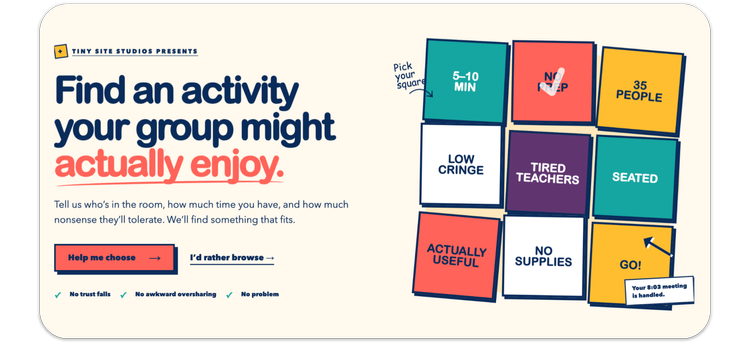
Skip the eye-rolling icebreaker. If you're leading professional development, a staff meeting, or any gathering, take a look at Better Than Bingo by Caitlin Cloyd. It features more than 100 ready-to-use activities organized by purpose, including connecting, collaborating, reflecting, celebrating, welcoming new people, sharing ideas, and energizing the room. You'll find quick conversation starters, movement-based activities, discussion protocols, and creative ways to get participants interacting without the awkwardness of traditional icebreakers. Examples include: The Useful Question Swap
Pairs trade one question that reveals something useful—not their spirit animal. One-Star Schoolday Review
Write a dramatic one-star review of a harmless school-day annoyance, then rewrite it as advice. Two Numbers
Give two numbers out of ten: your energy and your capacity for new information. The Sixty-Second Rant
Complain for thirty seconds each about something that absolutely does not matter.
Each activity includes clear directions, suggested group sizes, timing, and materials, making it easy to find one that fits your goals. It just might become your go-to resource the next time you're planning a meeting or workshop.
|
|
Design is everywhere, even on the little condiment packets in school lunchrooms and fast food restaurants. I'll close with a delightfully quirky website I came across this week: Condiment Packet Archive. You might be surprised by how much thought goes into the tiny packets we usually tear open without a second glance. Smiles from Iowa,
|
|
Subscribe at learninginhand.com AI gave me a hand with brainstorming, drafting, and polishing this issue. Of course, I reviewed and adjusted everything before sharing it with you.
|
|
|
|