|
Flowers, motion, digital boards, mindset, favicons, and camp ͏ ͏ ͏ ͏ ͏ ͏ ͏ ͏ ͏ ͏ ͏ ͏ ͏ ͏ ͏ ͏ ͏ ͏ ͏ ͏ ͏ ͏ ͏ ͏ ͏ ͏ ͏ ͏ ͏ ͏ ͏ ͏ ͏ ͏ ͏ ͏ ͏ ͏ ͏ ͏ ͏ ͏ ͏ ͏ ͏ ͏ ͏ ͏ ͏ ͏ ͏ ͏ ͏ ͏ ͏ ͏ ͏ ͏ ͏ ͏ ͏ ͏ ͏ ͏ ͏ ͏ ͏ ͏ ͏ ͏ ͏ ͏ ͏ ͏ ͏ ͏ ͏ ͏ ͏ ͏ ͏ ͏ ͏ ͏ ͏ ͏ ͏ ͏ ͏ ͏ ͏ ͏ ͏ ͏ ͏ ͏ ͏ ͏ ͏ ͏ ͏ ͏ ͏ ͏ ͏ ͏ ͏ ͏ ͏ ͏ ͏ ͏ ͏ ͏ ͏ ͏ ͏ ͏ ͏ ͏ ͏ ͏ ͏ ͏ ͏ ͏ ͏ ͏ ͏ ͏ ͏ ͏ ͏ ͏ ͏ ͏ ͏ ͏ ͏ ͏ ͏ ͏ ͏ ͏ ͏ ͏ ͏ ͏ ͏ ͏ ͏ ͏ ͏ ͏ ͏ ͏ ͏ ͏ ͏ ͏ ͏ ͏ ͏ ͏ ͏ ͏ ͏ ͏ ͏ ͏ ͏ ͏ ͏ ͏ ͏ ͏ ͏ ͏ ͏ ͏ ͏ ͏ ͏ ͏ ͏ ͏ ͏ ͏ ͏ ͏ ͏ ͏ ͏ ͏ ͏ ͏ ͏ ͏ ͏ ͏ ͏ ͏ ͏ ͏ ͏ ͏ ͏ ͏ ͏ ͏ ͏ ͏ ͏ ͏ ͏ ͏ ͏ ͏ ͏ ͏ ͏ ͏ ͏ ͏ ͏ ͏ ͏ ͏ ͏ ͏ ͏ ͏ ͏ ͏ ͏ ͏ ͏ ͏ ͏ ͏ ͏ ͏ ͏ ͏ ͏ ͏ ͏ ͏ ͏ ͏ ͏ ͏ ͏ ͏ ͏
|
Issue 61 • Date June 24, 2026
|
|
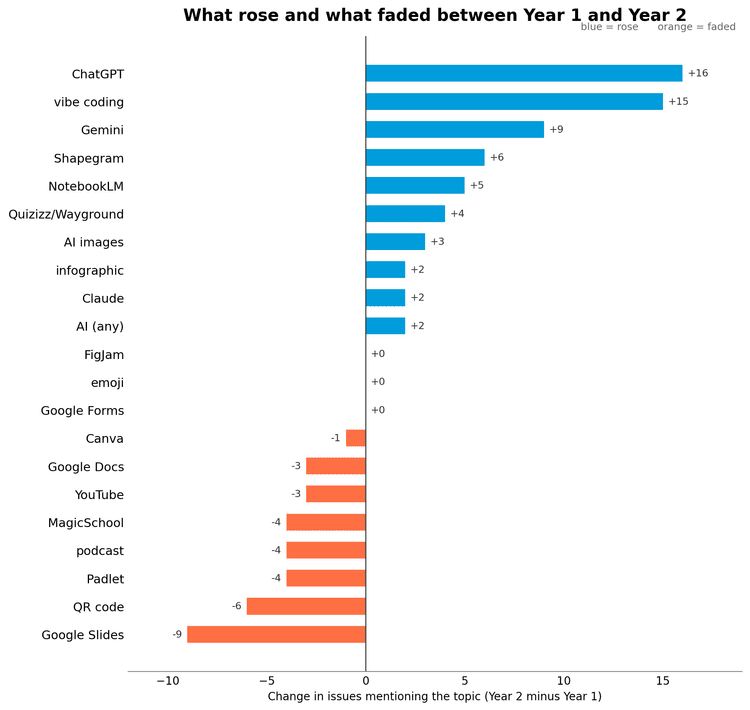
This issue marks two years of the Learning in Hand Newsletter. Sixty issues in, I got curious: what have I actually been talking about all this time? So I asked Claude Code to read every issue and tally up the topics. The chart below shows what took off in year two and what faded. ChatGPT and vibe coding climbed fast, while other topics like MagicSchool and Google Slides cooled off. I can't wait to see what the chart looks like a year from now.
|
|
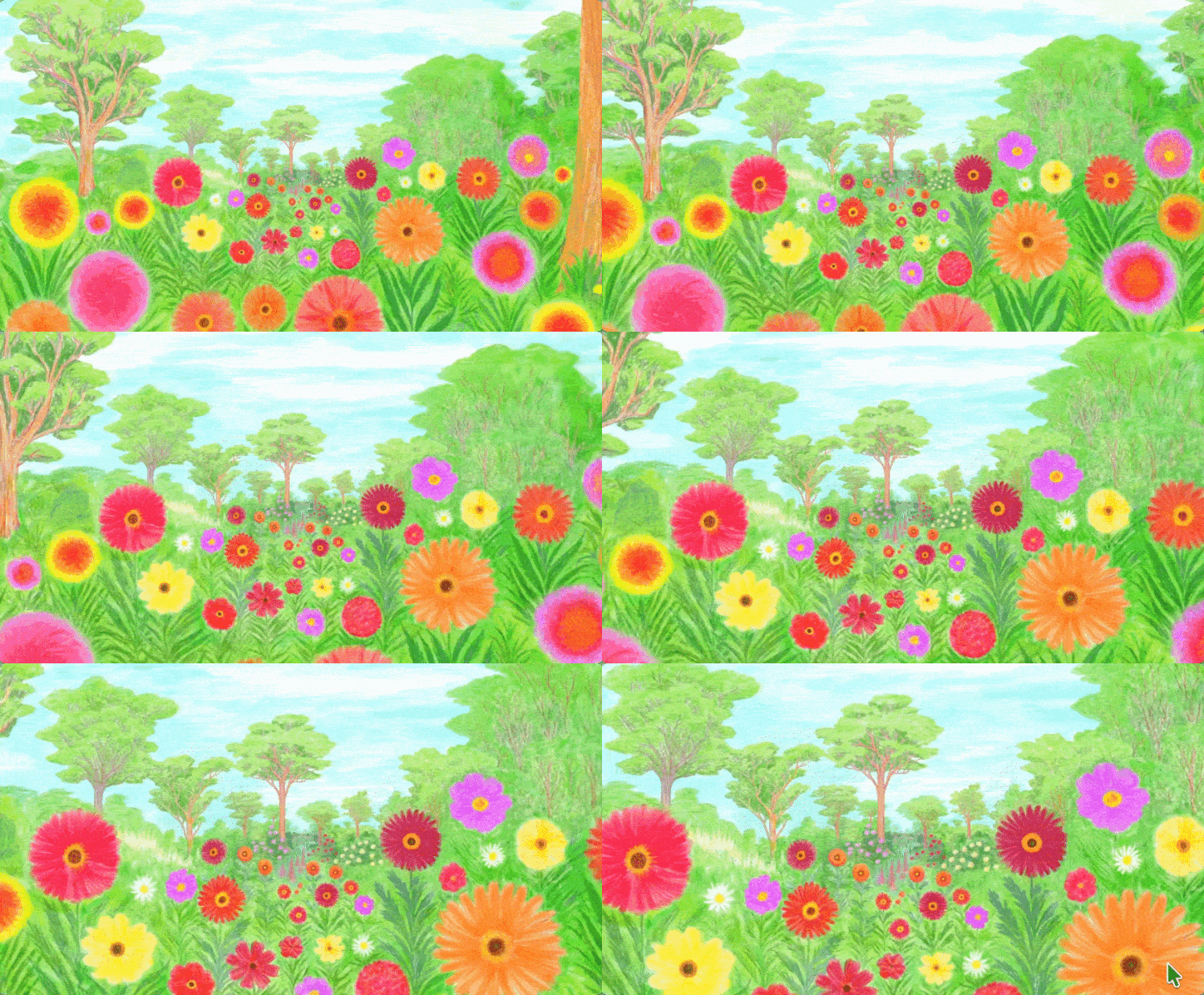
Tricia Louis wrote about Infinite Flowers in her June 16th newsletter. I clicked the link and thought, "Oh, that's pretty." A few minutes later, I was still watching. Infinite Flowers is exactly what it sounds like. It’s an endless zoom through a painted world of flowers. Each blossom reveals another blossom, which reveals another blossom, and so on. Created by artist Nikolaus Baumgarten, it’s relaxing, mesmerizing, and the kind of website that's fun to share on a classroom display just to see who notices.
|
|
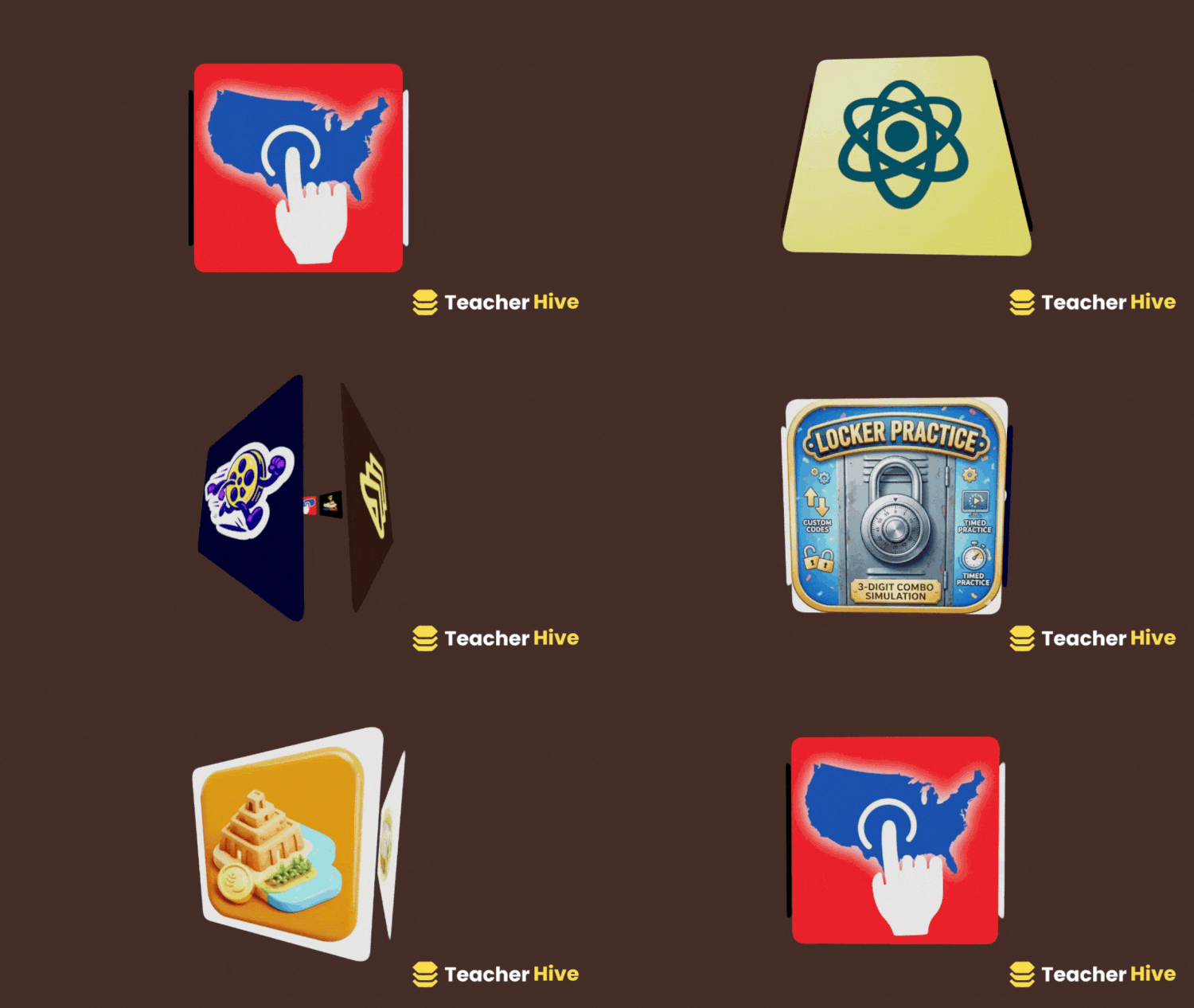
Canva includes hundreds of apps that add extra features and creative tools. Click Apps in the sidebar to browse or search what's available. Lately, I've been having fun with the DepthLoop app. It turns a collection of images into a 3D animation with depth and motion. Upload up to 30 images, choose from 10 motion styles, adjust the speed and zoom, and customize the background color. I used DepthLoop to create a short animation featuring the trending apps on Teacher Hive. The effect makes the images appear to move through space, creating a polished animation.
|
|
You can insert the animation into a slideshow, use it in a video project, post it on social media, or download it as a GIF. It's a visually engaging way to showcase student work, highlight a collection of photos, introduce a topic, or add movement to presentations.
|
|
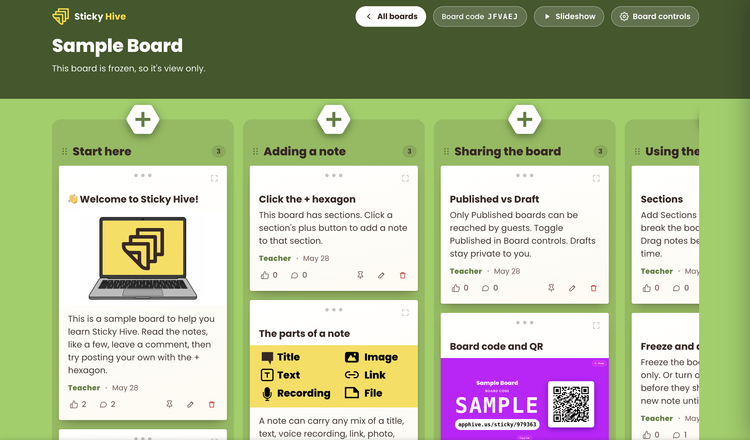
One of the trending apps featured in my DepthLoop animation above is Sticky Hive. If you've bumped into Padlet's free-plan limits, take a look at Sticky Hive. It provides a simple digital bulletin board where students can post virtual sticky notes containing text, links, images, files, and even voice recordings. Contributions appear instantly for everyone to see. I wouldn't necessarily replace Padlet with it. Padlet still offers more layouts, templates, and advanced features. But that's exactly why I like Sticky Hive. Sometimes you don't need all the extras. You just need a place for students to share ideas. Use it for brainstorming, exit tickets, discussion questions, gallery walks, collecting examples, or gathering student reflections. Since Sticky Hive lets you create more than 100 boards for free, you can save your three free Padlets for projects that truly benefit from Padlet's advanced features. One more thing teachers will appreciate: students don't need accounts. Share a code or link and start collecting responses. Click here to view a sample Sticky Hive board. You can also preview, toggling between Guest (Student) and Teacher views.
|
|
To use Sticky Hive, you'll need a Teacher Hive account with Builder status. You can request Builder status for free when you sign up. Then make a copy of the Sticky Hive app, giving you your own instance and full control of your boards and data. There is a limit on how much data you read and write per month, but I suspect most teachers won’t come close to the limit. I'm proud to say I built Sticky Hive using Claude AI and the Connected Superpower on Teacher Hive. Read more about Sticky Hive.
|
|
Building Teacher Hive and Sticky Hive posed many challenges for me. While Claude Code handled a lot of the work, I still had to set up domains, databases, email connections, and so many things I had rarely, if ever, done before. I want to say it was hard. But a TikTok video came across my For You page that inspired me to change my phrasing. What I did was not hard. It was unfamiliar. And the parts that were easy? Well, those were familiar to me. This reframing has stuck with me. When students struggle with a math concept, writing assignment, or science experiment, we often describe the work as hard. Sometimes it is. But often it's simply unfamiliar. They haven't had enough time, practice, or exposure to make it feel comfortable yet. Building Teacher Hive became easier as I learned the vocabulary, understood the systems, and repeated the process. The tasks didn't change much. What changed was my familiarity with them. The next time you or your students encounter something "hard," it might be worth asking: Is it actually difficult, or is it just unfamiliar? The answer can make a challenge feel a lot more manageable.
|
|
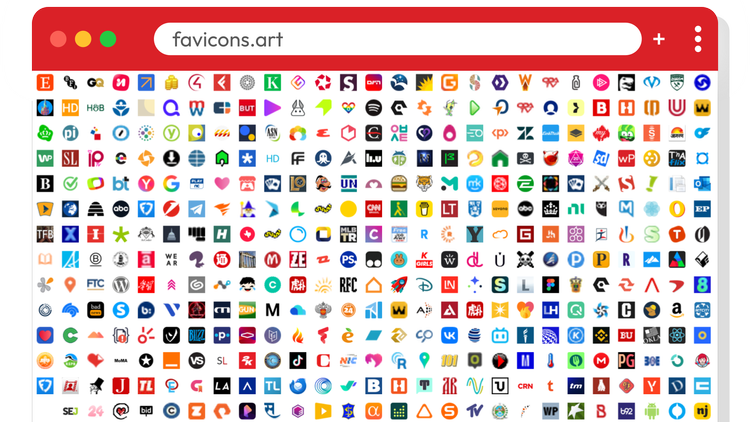
A favicon is the tiny icon that appears in a browser tab, bookmark, or shortcut. Small as they are, they can add personality and polish to a website or web app. For inspiration, visit Favicons.art. The site displays thousands of website favicons on an infinite canvas. As you scroll, you'll notice that the most effective designs are often the simplest. Bold shapes, limited colors, and recognizable symbols help an icon stand out, even at a tiny size. If you're creating websites or apps, a custom favicon is an easy way to make a project feel more complete. It can reinforce branding, make tabs easier to identify, and communicate an idea at a glance. You don't need special design software to create one. Canva and Google Slides are surprisingly good tools for designing simple icons. You can also use AI to generate ideas, create artwork, or suggest symbols that represent your project. Adding a favicon to a Google Site is simple. In the editor, click Settings (gear icon), select Brand Images, and upload an image under Favicon. Publish the site to make the change visible. If you're sharing an app on Teacher Hive, upload an icon when publishing your app. The icon appears throughout Teacher Hive and is also used as the favicon when someone opens your app. As you browse Favicons.art, notice which icons catch your eye and which ones disappear into the crowd. The patterns you spot can help you create a better favicon of your own.
|
|
Neal does it again! Cursor Camp is a simple, no-chat multiplayer experience where you and visitors from around the world explore a virtual campsite as mouse cursors. Wander the beach, kick a soccer ball, roast marshmallows, collect badges, hunt for hidden surprises, and discover dozens of interactive spots throughout camp. Each cursor displays a country flag, creating small moments of connection with people you'll never meet but can still play alongside. There's no account to create, no instructions to read, and no pressure to compete. Just move your mouse and start exploring. It's another quirky creation from Neal.fun, the website behind Internet favorites like Spend Bill Gates’ Money and Draw a Perfect Circle.
|
|
Since we’ve hit the two-year mark with this newsletter, I added everything up (well, I prompted AI to add it all up), and the total surprised even me. Sixty issues contain about 77,000 words, roughly the length of a nonfiction book, plus nearly 500 illustrations, about one for every section. A book that long with that many pictures could be a textbook. A textbook packed with handy tips, useful resources, and an unhealthy amount of alliteration. 😉 Smiles from Iowa,
|
|
Subscribe at learninginhand.com AI gave me a hand with brainstorming, drafting, and polishing this issue. Of course, I reviewed and adjusted everything before sharing it with you.
|
|
|
|