|
New emojis, Canva image-to-video, AI literacy, browser shortcut, Reverse Card, Teacher Hive apps ͏ ͏ ͏ ͏ ͏ ͏ ͏ ͏ ͏ ͏ ͏ ͏ ͏ ͏ ͏ ͏ ͏ ͏ ͏ ͏ ͏ ͏ ͏ ͏ ͏ ͏ ͏ ͏ ͏ ͏ ͏ ͏ ͏ ͏ ͏ ͏ ͏ ͏ ͏ ͏ ͏ ͏ ͏ ͏ ͏ ͏ ͏ ͏ ͏ ͏ ͏ ͏ ͏ ͏ ͏ ͏ ͏ ͏ ͏ ͏ ͏ ͏ ͏ ͏ ͏ ͏ ͏ ͏ ͏ ͏ ͏ ͏ ͏ ͏ ͏ ͏ ͏ ͏ ͏ ͏ ͏ ͏ ͏ ͏ ͏ ͏ ͏ ͏ ͏ ͏ ͏ ͏ ͏ ͏ ͏ ͏ ͏ ͏ ͏ ͏ ͏ ͏ ͏ ͏ ͏ ͏ ͏ ͏ ͏ ͏ ͏ ͏ ͏ ͏ ͏ ͏ ͏ ͏ ͏ ͏ ͏ ͏ ͏ ͏ ͏ ͏ ͏ ͏ ͏ ͏ ͏ ͏ ͏ ͏ ͏ ͏ ͏ ͏ ͏ ͏ ͏ ͏ ͏ ͏ ͏ ͏ ͏ ͏ ͏ ͏ ͏ ͏ ͏ ͏ ͏ ͏ ͏ ͏ ͏ ͏ ͏ ͏ ͏ ͏ ͏ ͏ ͏ ͏ ͏ ͏ ͏ ͏ ͏ ͏ ͏ ͏ ͏ ͏ ͏ ͏ ͏ ͏ ͏ ͏ ͏ ͏ ͏ ͏ ͏ ͏ ͏ ͏ ͏ ͏ ͏ ͏ ͏ ͏ ͏ ͏ ͏ ͏ ͏ ͏ ͏ ͏ ͏ ͏ ͏ ͏ ͏ ͏ ͏ ͏ ͏ ͏ ͏ ͏ ͏ ͏ ͏ ͏ ͏ ͏ ͏ ͏ ͏ ͏ ͏ ͏ ͏ ͏ ͏ ͏ ͏ ͏ ͏ ͏ ͏ ͏ ͏ ͏ ͏ ͏ ͏ ͏ ͏ ͏ ͏ ͏ ͏ ͏ ͏ ͏ ͏
|
Hello from Council Bluffs, Iowa, where the weather is starting to feel like spring. I suspect many readers were on spring break when the last issue landed. If you missed it, I invite you to check out Issue 55. Highlights included: And now, Issue 56… 🌼
|
|
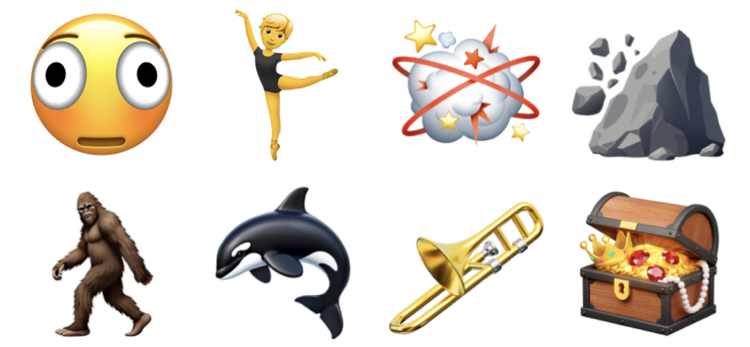
Apple recently added eight new emojis in its latest update. As usual, Apple rolls them out first. Google, Microsoft, and other platforms will follow later this year. That means you can use them now if your Apple device is updated, but not everyone will see them correctly… yet. Here are the new additions: Distorted Face — a dizzy, overwhelmed expression Ballet Dancer — a dancer in mid-performance Fight Cloud — a cartoon-style dust-up cloud Landslide — rocks tumbling down a slope Hairy Creature — a Bigfoot-like character Orca — a black-and-white killer whale Trombone — a brass slide instrument Treasure Chest — a chest filled with treasure
|
|
Personally, I usually wait until later in the year to use new emojis so I know everyone can actually see them.
|
|
You can transform an image into a 5-second video with Canva. Click an image in a Canva design. In the top toolbar, click Edit. In the Image panel under Tools, select Image to Video. Choose Smart or Custom mode. Click Generate 5-second video. Click Add video to design to replace the image with the generated video.
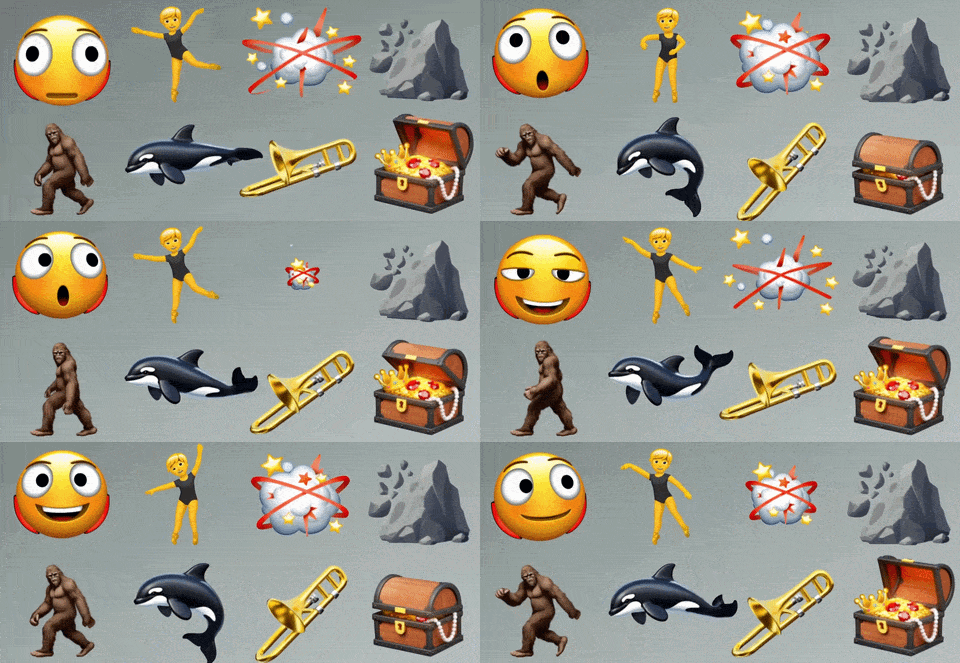
Image to Video makes it easy to create animated titles, grab attention with movement, and bring life to a presentation. The video can stay in your design, or you can export it as an MP4 video or a GIF. Keep in mind GIF file sizes can be enormous, so consider reducing the dimensions and optimizing with EZgif. Image to Video does not support Canva Pro media and won’t work with human faces. It also counts toward your monthly AI usage, which you can monitor on your Canva billing page. I uploaded my image with the eight new emojis into a Canva design and used Image to Video to create the animation below. You can see that Image to Video is a quick way to add motion and personality to otherwise static images.
|
|
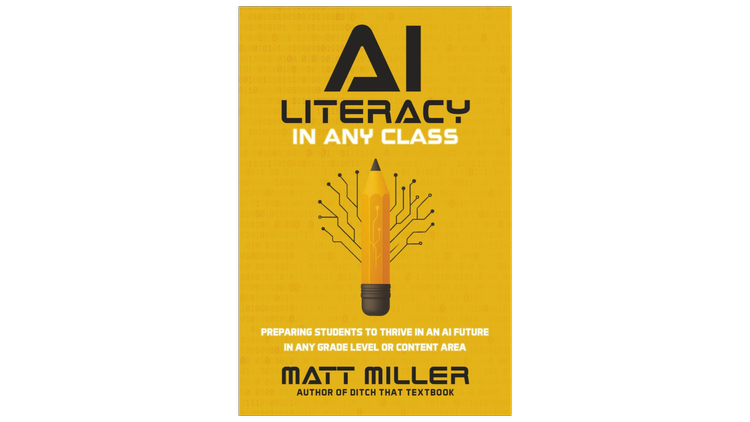
I’m constantly impressed by Matt Miller’s ability to explain AI in approachable ways. His level-headed perspective avoids hype and offers practical advice for helping teachers and students understand, critique, and use AI. In his new book, AI Literacy in Any Class, Matt acknowledges both the potential and pitfalls of AI. He shares simple ways to weave AI literacy into existing lessons, using teachable moments and small tweaks that fit naturally into what you’re already doing. Matt’s “ABC Rule” is Always Be Critiquing. He encourages teachers and students to question AI output with prompts like: What do you see? What do you notice? What do you wonder? Is this effective? Could you tell this was AI-generated? How? Is anything out of place or just “not right”?
Matt suggests turning AI misfires into learning opportunities: “When AI-powered activities go wrong in your class, they might provide your strongest opportunities for AI literacy lessons.” Analyzing why AI gets something wrong can be powerful. Was the prompt the problem? Do you spot bias? Was it bad training data? Is it a hallucination? AI Literacy in Any Class: Preparing Students to Thrive in an AI Future in Any Grade Level or Content Area is available in paperback ($25) and Kindle ($10). Amazon affiliate link. If you make a purchase, I receive a commission.
|
|
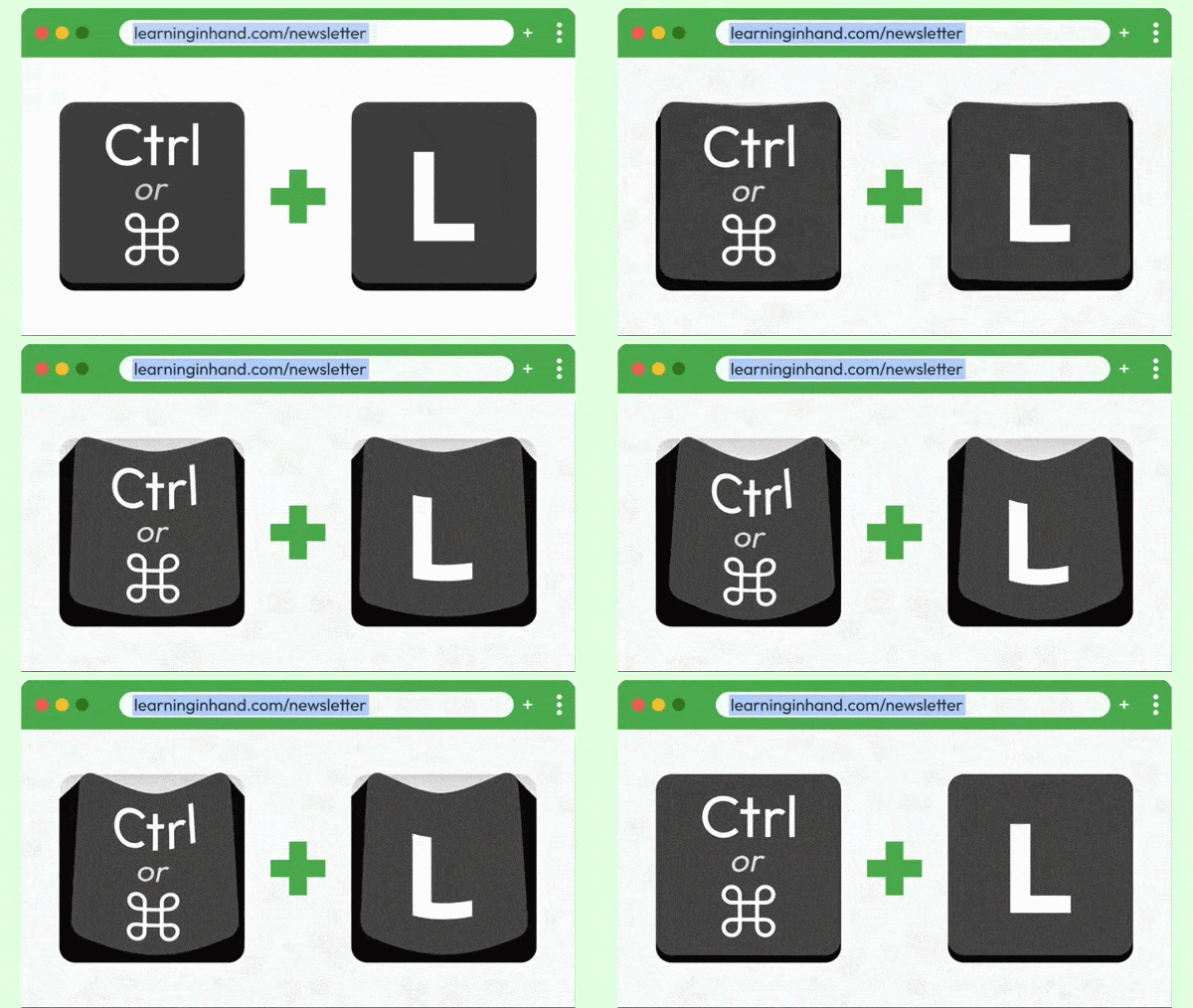
There’s a keyboard shortcut I use dozens of times a day, and you might not know about it. Press Control + L (Windows/Chromebook) or Command + L (Mac) to jump straight to the address bar. This shortcut works in Chrome, Edge, Safari, Firefox, and other major browsers. No clicking. Just type and go. It highlights the entire URL so you can immediately: Once you get into the habit, you might be surprised how often you reach for this shortcut. Check out the animation below. I made it with Canva’s Image to Video tool and saved it as a GIF.
|
|
Take a brain break and get the class laughing with The Reverse Card. In this web-based app, draw a word or phrase card, tap Record, and try to say it backwards. Then play it in reverse to hear the hilarious result and rate how close it sounds to the original. Speaking in reverse is surprisingly difficult. It gets students thinking about sounds, syllables, and phonics in a playful way. The app saves your 10 best and 10 worst attempts in the Hall of Fame and Hall of Shame, so you can replay the funniest and most impressive “Reverses.” When you start, choose from single words, short phrases, or your own custom decks. Try these twists: Add a deck of vocabulary words. Discuss each word before students record their Reverse. Make a deck of student names as a getting to know you activity. Show the card only to the student recording. The class listens and guesses before playback. Send a student into the hallway to record and keep the card a mystery. Play the reverse recording for the class and have them guess the word or phrase. Create emoji-only cards. Students say the phrase the emojis represent, then record it in reverse. 🎂🎉🎈 Use emoji rebus puzzles like 🦁👑 or 🧠🌩️ for students to interpret before recording. Try making a deck of tongue twisters for an extra challenge. Let small groups compete to create the most guessable Reverse. Add the challenge of recording in a whisper, robot voice,
I’ve added The Reverse Card to my list of Humorous Digital Snacks.
|
|
If you’ve been following my newsletters, you know I’ve been building a site where teachers can share apps they’ve “vibe coded” with AI. I originally called it App Hive and even bought the domain apphive.us. After discovering an app development company owns the App Hive trademark, I rebranded to Teacher Hive. The apps are still hosted on apphive.us, but the main site now lives at teacherhive.app. The new name also comes with new discovery features. You can bookmark apps and share your collections. Here’s my list of randomizer apps. You can also follow teachers and get notified when they publish something new. Teacher Hive’s feed, called The Buzz, sends a weekly email with updates from the people and apps you follow. The best part of Teacher Hive is, of course, the apps. You might find something to use tomorrow, or inspiration for building your own. Some buzz-worthy apps: Password Palooza from Nick Pascarella helps students practice cybersecurity in Builder and Detective modes. Which One Are You Today? from Shana Ramin is a classroom check-in designed for a large classroom screen. Students vote, and the results graph updates instantly. Deep Sea Descent from Melissa Sullivan puts students in control of a submarine to identify the five main geological features of the ocean floor. Metric-Customary Cliff Hanger from Dan Gallagher is a high-stakes math challenge where students solve metric-to-customary conversions to keep a yodeling climber from falling.
|
|
You can join Teacher Hive right now. You don’t have to publish apps to participate. Bookmark, follow, and explore. And you might just get inspired to build one of your own. Explore vibe-coding with me this summer! I’m offering Classy Vibing with AI in June. It’s a great way to learn how to build small apps like custom timers, randomizers, and learning games. The workshop runs in Google Classroom. Each Tuesday, I post a new video and optional assignment. I provide feedback on submissions, and classmates are encouraged to comment and share ideas. If this interests you, read more about Classy Vibing. Register by April 15, 2026, and save $15.
|
|
I had a great time at MACUL in Grand Rapids, Michigan. There were many highlights, including these 3D-printed pins from Marnie Diem. Aren’t they cute?
|
|
Thanks for reading, and I’ll be springing back into your inbox soon with more ideas for teaching and learning. Smiles from Iowa,
|
|
Subscribe at learninginhand.com AI gave me a hand with brainstorming, drafting, and polishing this issue. Of course, I reviewed and adjusted everything before sharing it with you.
|
|
|
|