Bulk create and print certificates, new art app, vibe coding with students, teacher-made apps ͏ ͏ ͏ ͏ ͏ ͏ ͏ ͏ ͏ ͏ ͏ ͏ ͏ ͏ ͏ ͏ ͏ ͏ ͏ ͏ ͏ ͏ ͏ ͏ ͏ ͏ ͏ ͏ ͏ ͏ ͏ ͏ ͏ ͏ ͏ ͏ ͏ ͏ ͏ ͏ ͏ ͏ ͏ ͏ ͏ ͏ ͏ ͏ ͏ ͏ ͏ ͏ ͏ ͏ ͏ ͏ ͏ ͏ ͏ ͏ ͏ ͏ ͏ ͏ ͏ ͏ ͏ ͏ ͏ ͏ ͏ ͏ ͏ ͏ ͏ ͏ ͏ ͏ ͏ ͏ ͏ ͏ ͏ ͏ ͏ ͏ ͏ ͏ ͏ ͏ ͏ ͏ ͏ ͏ ͏ ͏ ͏ ͏ ͏ ͏ ͏ ͏ ͏ ͏ ͏ ͏ ͏ ͏ ͏ ͏ ͏ ͏ ͏ ͏ ͏ ͏ ͏ ͏ ͏ ͏ ͏ ͏ ͏ ͏ ͏ ͏ ͏ ͏ ͏ ͏ ͏ ͏ ͏ ͏ ͏ ͏ ͏ ͏ ͏ ͏ ͏ ͏ ͏ ͏ ͏ ͏ ͏ ͏ ͏ ͏ ͏ ͏ ͏ ͏ ͏ ͏ ͏ ͏ ͏ ͏ ͏ ͏ ͏ ͏ ͏ ͏ ͏ ͏ ͏ ͏ ͏ ͏ ͏ ͏ ͏ ͏ ͏ ͏ ͏ ͏ ͏ ͏ ͏ ͏ ͏ ͏ ͏ ͏ ͏ ͏ ͏ ͏ ͏ ͏ ͏ ͏ ͏ ͏ ͏ ͏ ͏ ͏ ͏ ͏ ͏ ͏ ͏ ͏ ͏ ͏ ͏ ͏ ͏ ͏ ͏ ͏ ͏ ͏ ͏ ͏ ͏ ͏ ͏ ͏ ͏ ͏ ͏ ͏ ͏ ͏ ͏ ͏ ͏ ͏ ͏ ͏ ͏ ͏ ͏ ͏ ͏ ͏ ͏ ͏ ͏ ͏ ͏ ͏ ͏ ͏ ͏ ͏ ͏ ͏ ͏

View in Browser

Learning in Hand with Tony Vincent

Newsletter

Issue 58 • April 29, 2026

Got plans this June? Cancel them and join Classy Vibing with AI instead. It’s my online workshop for educators, and I can’t wait to lead another cohort through four weeks of building apps with help from AI.

No coding experience needed. You do need to be a clear communicator and have a sense of the features you want and the constraints your app needs to follow.

Actually, don’t cancel your plans. You can work at your own pace, so you can keep your plans and discover the joy of vibe coding.

I think you’ll find some of that same joy in this issue of the Learning in Hand Newsletter.

🏆 Reward & Repeat

If you're making multiple versions of the same design, then Canva’s Bulk Create app can help you out. Bulk Create is great for designs where you just need to change little bits of text on each page.

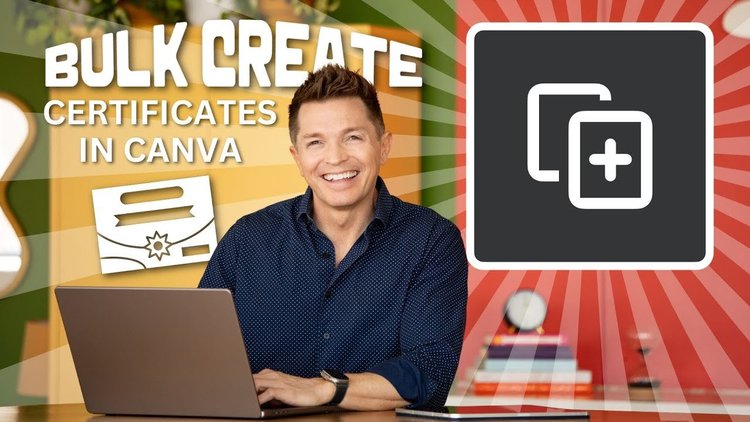
Teachers can use the Bulk Create app in Canva for Education to quickly whip up a batch of printable personalized certificates. Let me show you how in this YouTube Video. Note: The video was recorded a couple years ago, so the Canva interface looks a bit different, but the workflow is the same.

YouTube Thumbnail: Bulk Create Certificates in Canva

🖨️ Press to Print

Bulk Create in Canva shines for certificates and other print projects. Instead of juggling separate files, everything lands in one easy-to-print, multi-page document.

It always struck me as strange that Canva had no Print option. To send to your printer, you had to download as a PDF and then print the PDF. That’s now changed!

You can access Canva’s new Print menu in a few ways:

  • Go to File → Print → Use my printer

  • Use the shortcut Ctrl or ⌘ + P

  • Click Share, then scroll down to Use my printer

Canva will take a moment to prepare your document. After that, the familiar print dialog appears, ready to go.

ChatGPT Generated image of a man looking at a laptop with the Crrl and P keys showing while a certificate is on the screen

🎨 Adobe Art App

Adobe Aqua is a free creativity app built for kids. It’s all about drawing, coloring, and simple design.

One of my favorite parts for classrooms: no login required. Students can jump right in, which makes it easy to use with younger grades.

Coloring is quick thanks to a bucket fill tool. Tap a space and it fills instantly.

Another big win: each activity has its own URL. You can send students straight to exactly what you want, no searching.

The iPad app includes AI tools that can transform student artwork, adding a layer of creativity and experimentation. Those AI features require a parent login.

On the web, Aqua is quick and simple. It’s perfect for Chromebooks and jumping straight into an activity, but student work isn’t saved.

For teachers, it’s an easy option for centers, early finishers, or anytime you want students creating without a lot of setup.

6 screenshots of Adobe Aqua

🧑‍💻 AI App Adventure

I recently introduced three 5th grade classes to the concept of vibe coding, and it’s been something special to watch.

I started with a “Lesson Lib” (my take on a Mad Lib using my own content) about vibe coding.

I explained that I built it myself with AI, so it works exactly how I want, including revealing the original words. Then I showed a couple of other simple apps.

Next, I modeled the process by vibe coding an on-task timer for project work. We brainstormed ways to personalize it, like adding a list of tasks with individual timers and even a quick rating system to track progress over time.

Before building, we talked through a few key moves:

  • Turn on Canvas mode so you can preview the app

  • Ask for an HTML app (since we’ll publish with Google Sites)

  • Be clear in your prompt

  • End with: “Ask me questions before you build.”

That last one really helps Google Gemini clarify details before jumping in.

We also talked about iteration. The first version is the worst version, so keep refining.

When I turned them loose to build their own timers, the creativity took off. One student went with a “fancy dinner” theme, designing a gold-on-black timer. The “time’s up” sound wasn’t fancy enough, so he had Gemini switch it to violins.

I’ve taught tech to kids for years, and vibe coding lights up their faces and their brains in ways I haven’t seen before.

I checked in with them the next day, and a bunch of students had already gone home and built their own apps. They couldn’t wait to tell me what they made and what they want to build next.

I also made posters for the classroom so students can easily refer to the steps for building in Gemini and publishing and updating in Google Sites.

Build an App with Gemini handout thumbanils

🐝 Hive Highlights

Those fifth graders aren’t the only ones vibe coding lately. There’s a whole community of educators building amazing apps with AI. Here are some of the latest educational apps that have landed on Teacher Hive.

  • Pet Finder Coordinate Quest from Cassidy Elmer
    Pet Finder is a 2-player grid game where students master plotting ordered pairs. One hides pets; the other uses proximity radar to find them, building spatial logic and coordinate fluency.

  • KeyStrike from Chad Behnke
    KeyStrike is a neon arcade rhythm game where you tap piano keys to the beat of classic songs. Hit falling notes on the strike line and maintain 70% accuracy to survive infinite rounds!

  • Ice Cream Math Shop from Sara Heintzelman
    This app is designed to help first grade students practice adding two digit numbers with regrouping. The support of base ten block visuals is included.

  • Kindergarten Minecraft CVC Words from James Andrew Sherrill
    An interactive website for CVC words themed after Minecraft.

  • ACT Connections Game from Steve Chappell
    NYT Connections style vocabulary review. Currently contains 7 rounds of play. Each round has 4 groups of varying difficulty just like the connections game.

  • Graph Maker from Nick Pascarella
    Make math fun with Kids Graph Maker! Elementary students can easily build colorful bar, line, plot, and pie charts. Add data, label your axes, and download your custom graph as a PDF!

🔢 Try Texting

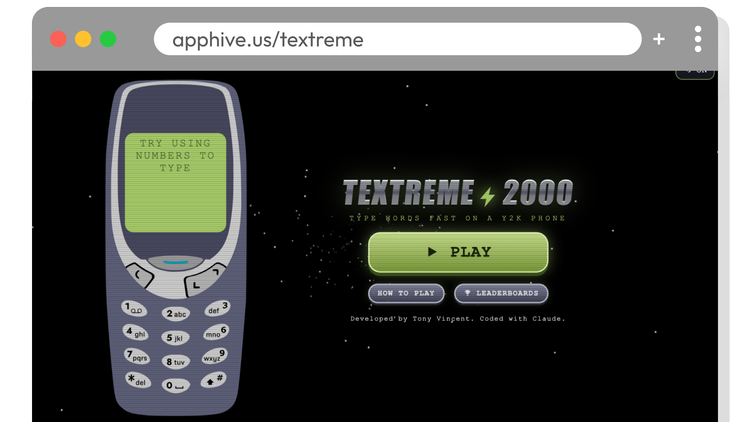
I’ve been doing my share of vibe coding recently. I built Textreme 2000, a web-based game where you press the numbers on an old-school cell phone to type.

There are pre-made sets where players copy words or phrases as quickly as they can, and they might even land on a global leaderboard.

You can also create your own sets of words or phrases and share them with students using a simple link. Imagine practicing the week’s spelling or vocabulary list by entering it on an old-fashioned cell phone.

But the best part might be your students’ reactions: “This is how you used to write text messages?!” For me, it brings back memories.

Screenshot of Textreme 2000 home screen

🧰 Vibing Voyage

This summer, turn your ideas into tools you can actually use.

I’ve learned a lot about vibe coding, and I’d love to guide you on your own vibe coding journey.

Using AI is the easy part. The real work is turning ideas into useful tools. There’s a bit of art, a bit of science, and some best practices, vocabulary, and responsible use to learn along the way.

We’ll cover all of that in Classy Vibing with AI.

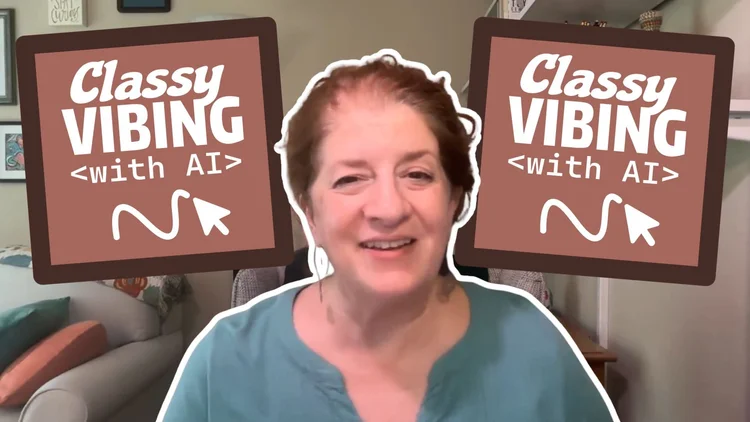
Not sure if this online workshop is right for you? Kathryn was part of the February-March cohort and recorded a short video for future participants. It makes me blush every time I watch it. 😊

Screenshot from Kathryn's video with Classy Vibing with AI logos in the background

Register by May 6 and save $15.

Have PD funds? Grab a group of colleagues and take Classy Vibing with AI together. Contact me for group pricing or to set up a purchase order.

Did something resonate with you in this email? I’d love to hear from you. Just hit reply. Even a quick thumbs up means a lot to me. 👍

Smiles from Iowa,

 Previous Issues 

Subscribe at learninginhand.com

AI gave me a hand with brainstorming, drafting, and polishing this issue. Of course, I reviewed and adjusted everything before sharing it with you.

facebook x-formerly-twitter instagram threads tiktok

Tony Vincent, Inc., 1406 Callahan Drive, Council Bluffs, Iowa, USA

Learning in Hand with Tony Vincent

Powered by Squarespace

Unsubscribe